mn
mn  ru
ru 
CS2 Skin Float Guide 2026
Have you ever seen items with the same pattern, but one is scratched and the other looks like new? Yes, CS2 has a similar mechanic, and it’s controlled by the float value. This value determines the skin’s wear level, as well as its price.
In this CS2 float guide for MelBet Pick’em, we’ll tell you what this value is and how to check it. You’ll learn whether it’s possible to change the float, what its ranges are, and what the float cap is. We’ve also prepared two examples of skins with some of the lowest and highest CS2 float values.
What Is CS2 Float Value?
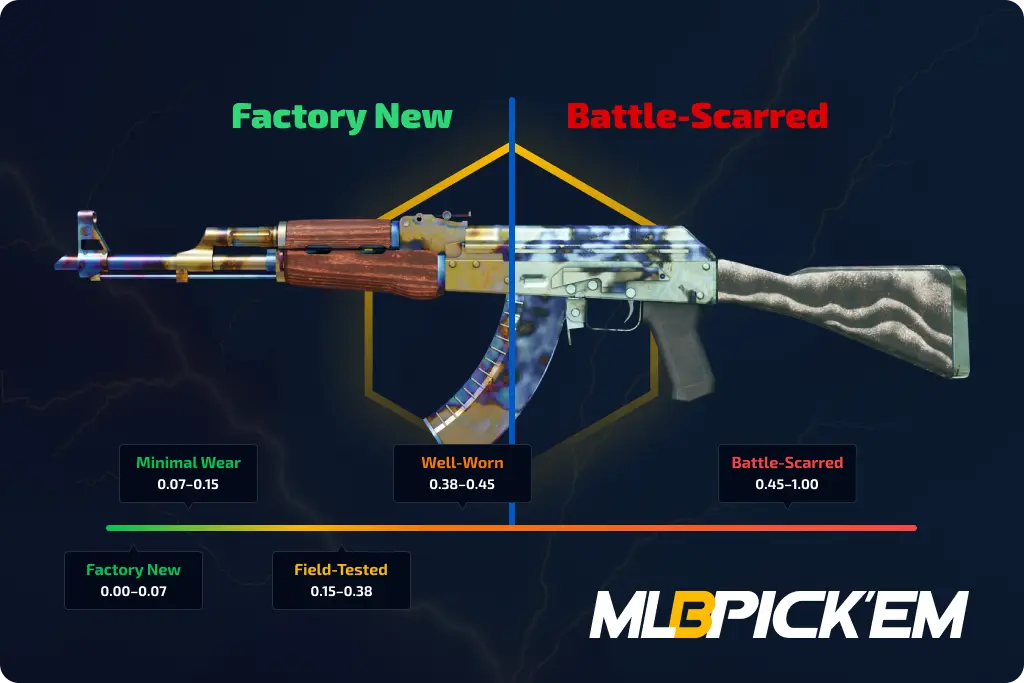
The CS2 skin float value is a numerical value between 0.00 and 1.00. It determines the wear level of each skin in the game.
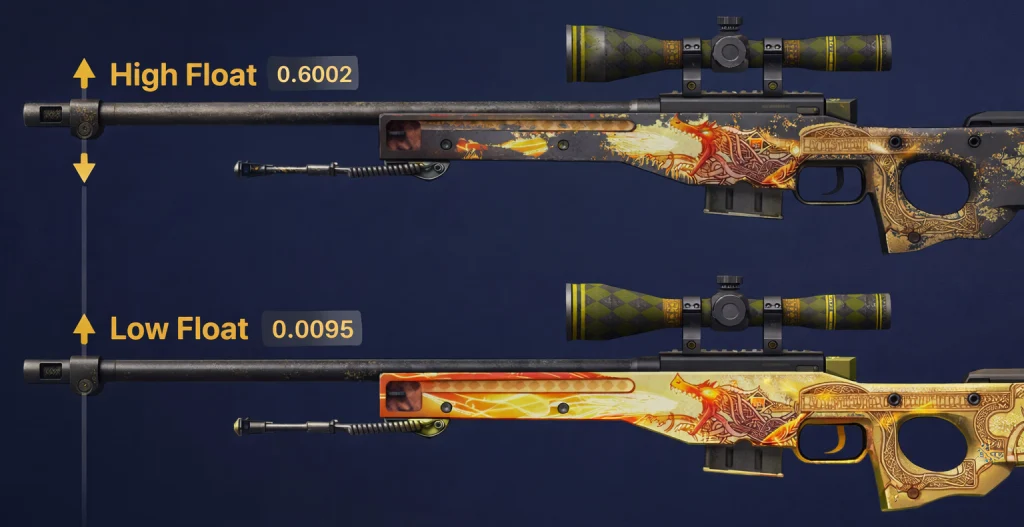
Low values (closer to 0.00) are found on skins that look good. They have few or no scratches, vibrant colors, and no dark areas. High values (closer to 1.00), on the other hand, are associated with noticeable abrasions, worn edges, and a more battle-ready appearance.
Essentially, the CS skin float allows you to better determine the actual visual condition of a skin. This allows buyers to avoid overpaying for an ordinary skin, while traders and collectors can find a rare and valuable item among similar-looking items.
When Did Skin Float First Appear in CS: GO?
The CS:GO skin float system was first added with the Arms Deal update on August 14, 2013. Yes, it brought not only the first weapon skins and skin rarities to the game, but also the CS:GO float system itself.
After the transition from CS: GO to Counter-Strike 2, there were no changes to this system. Each old skin simply retained its CS:GO float range, and new items receive a Wear Rating according to the same logic. Considering that there haven’t been any changes in more than 13 years, it turns out that the CS float system was perfect from the start.
How Does CS2 Wear Rating Work?
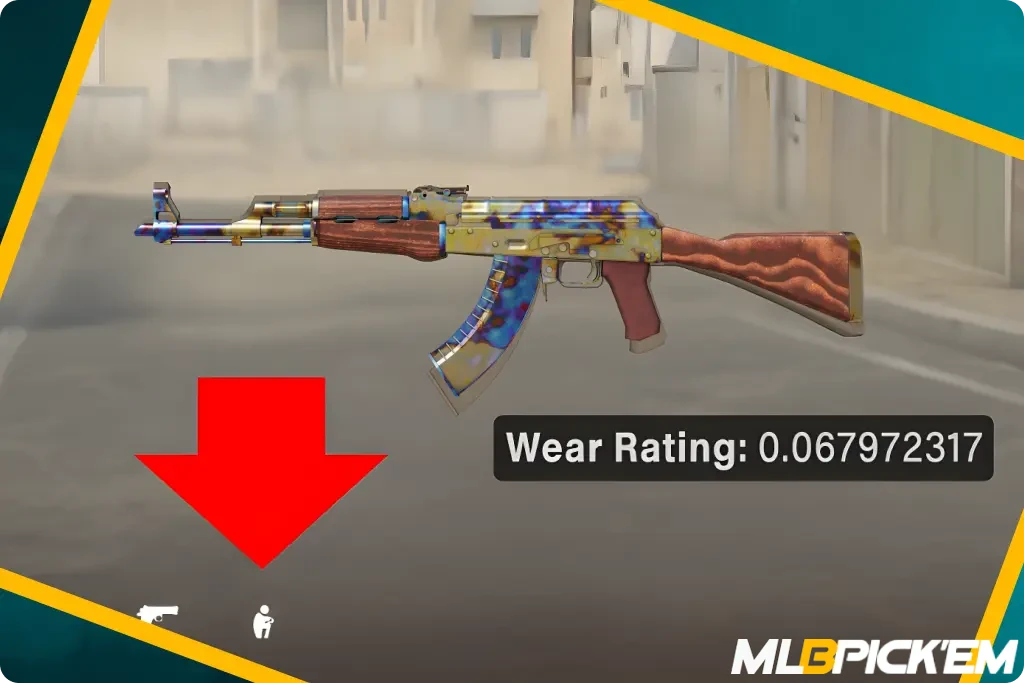
Wear Rating in CS2 is the same as float value, but with an in-game name. When you inspect a skin in your inventory, the game displays the CS2 Wear Rating. This value is determined when the skin is acquired (from a case, the CS2 weekly drop pool, or through a Trade Up Contract).
After that, the Wear Rating CS2 remains constant. It doesn’t change over time, doesn’t deteriorate during matches, and doesn’t deteriorate after trades. Even applying and erasing stickers does not add scratches or change the skin’s float value.
As for its impact on gameplay, it simply doesn’t exist. Firing, damage, accuracy, recoil, and every other weapon stat remain the same for any skin float CS2. The only difference is in appearance and, accordingly, the price on the market.
CS2 Float Ranges and Skin Wear Levels
The CS2 float range is generally understood as a range of values from 0.00 to 1.00, divided into five wear levels:
| Wear Level | Float Range | Appearance |
|---|---|---|
| Factory New | 0.00-0.07 | Almost clean, bright colors, minimal scratches |
| Minimal Wear | 0.07-0.15 | Slight wear, still looks close to new |
| Field-Tested | 0.15-0.38 | Noticeable scratches and moderate wear |
| Well-Worn | 0.38-0.45 | Heavy wear, faded colors, worn edges |
| Battle-Scarred | 0.45-1.00 | Very worn, many scratches, damaged look |
Each of them has its own fixed CS float value range. So, if a CS2 skin has a float value of 0.13, it belongs to the Minimal Wear level. A float value cannot fall outside its assigned wear range.
As for the external differences between each of these CS2 float ranges, we’ll describe them below.
Factory New (FN): 0.00 – 0.07
Skins with a Factory New float are the most desirable and expensive. If you have an almost unlimited budget, these are exactly the skins you should look for. They look like new, with minimal or no scratches (depending on the float CS2 range).
Minimal Wear (MW): 0.07 – 0.15
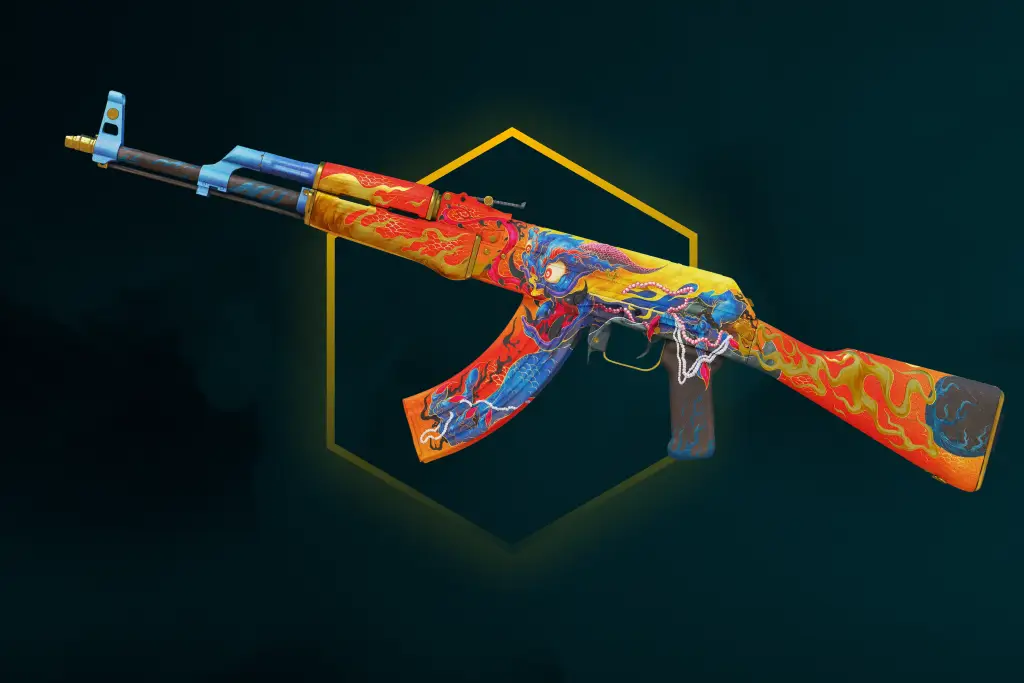
One of the most popular CS2 skin float values. It offers the best balance between appearance and price. The Minimal Wear float range isn’t far removed from Factory New, but still a far cry from Battle-Scarred. These skins show minor signs of wear that are sometimes not even noticeable in-game. However, the price is significantly cheaper than Factory New, sometimes several times lower.
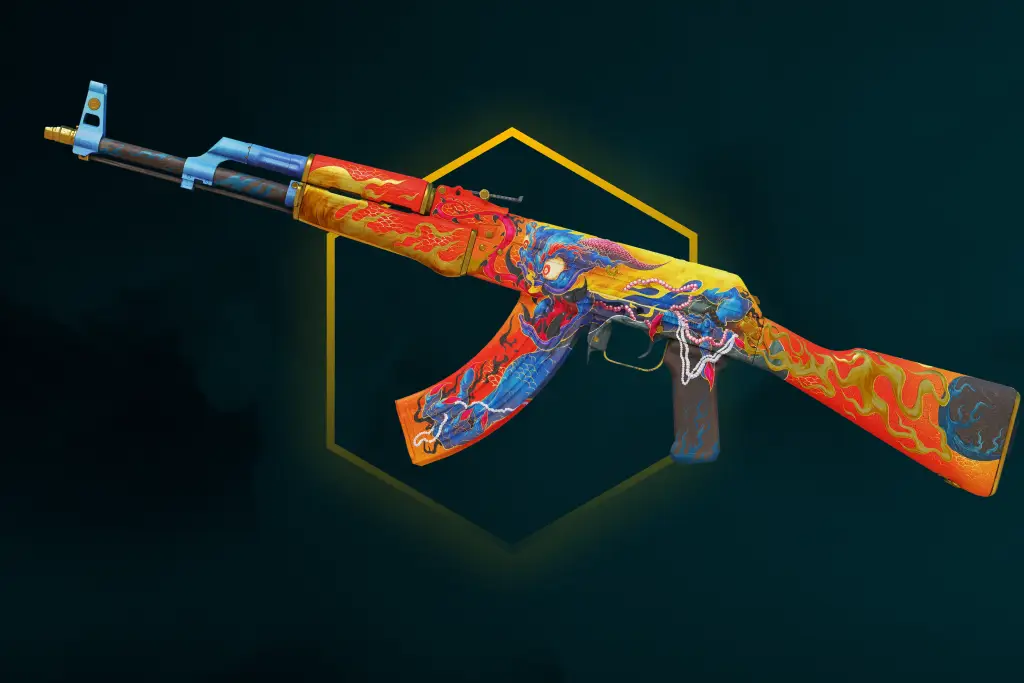
Field-Tested (FT): 0.15 – 0.38
The Field-Tested float range is one of the widest in the game, meaning there are slightly more of these skins. In terms of appearance, scratches are already quite noticeable, and some skins have slight dull spots. However, if you’re not in a rush to buy, try to choose a skin with as low a Field-Tested float as possible. The difference between 0.16 and 0.37 can be noticeable, and the price difference is only within the margin of error.
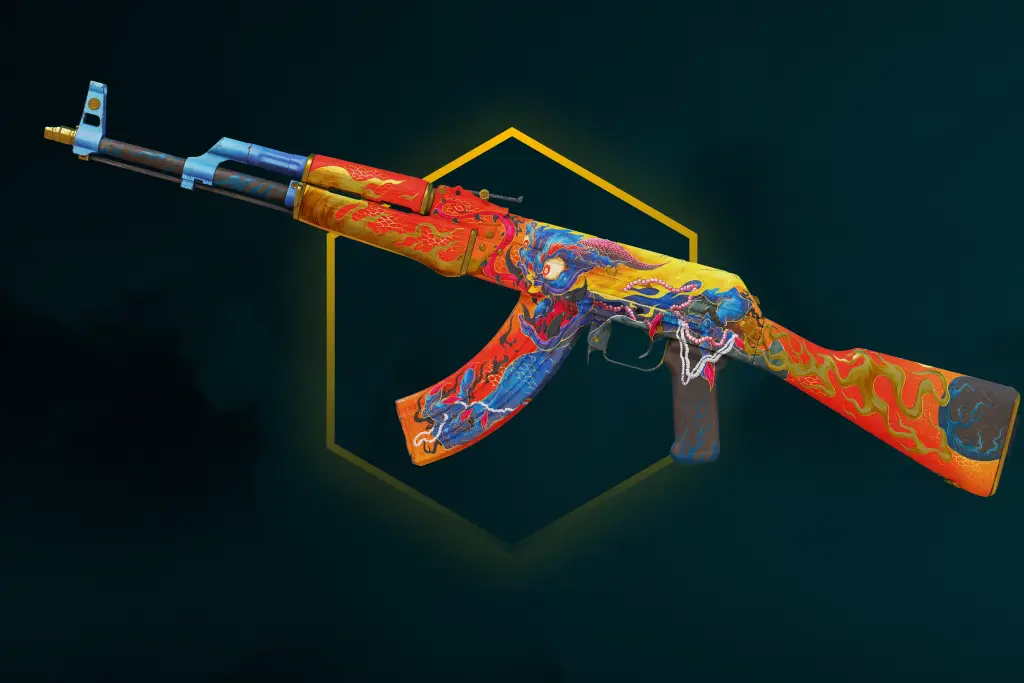
Well-Worn (WW): 0.38 – 0.45
This is a noticeably worn level, where the skin’s appearance begins to deteriorate significantly. Faded colors, dark areas, and worn areas of the design can be quite noticeable. At the same time, considering that the Well-Worn float range is quite narrow, the price for such skins is usually 5-10% lower than for Minimal Wear and Field-Tested. If possible, it’s better to pay a little extra and get a better-looking skin.
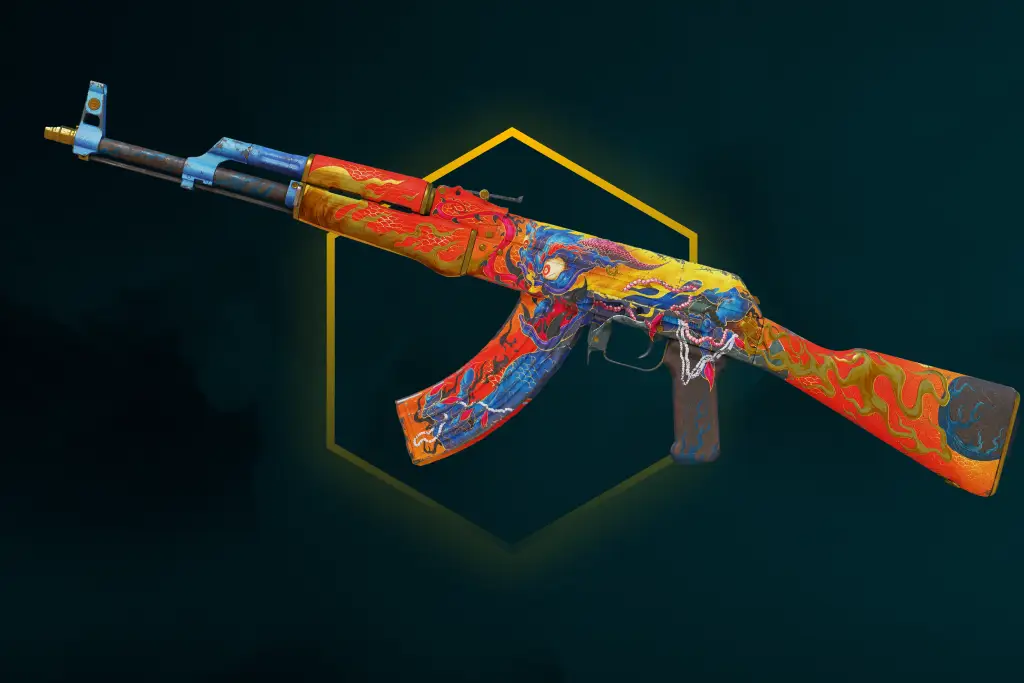
Battle-Scarred (BS): 0.45 – 1.00
This level of wear includes skins with the most scratches. Scuffs, dark spots, and areas where the design is almost completely erased are absolutely normal for all skins in this Battle-Scarred float range. Battle-Scarred skins are also typically the cheapest.
However, in this case, be sure to check the CS float value before purchasing. Skins with CS2 float values of 0.46 and 0.99 can differ significantly, although the price is roughly the same.
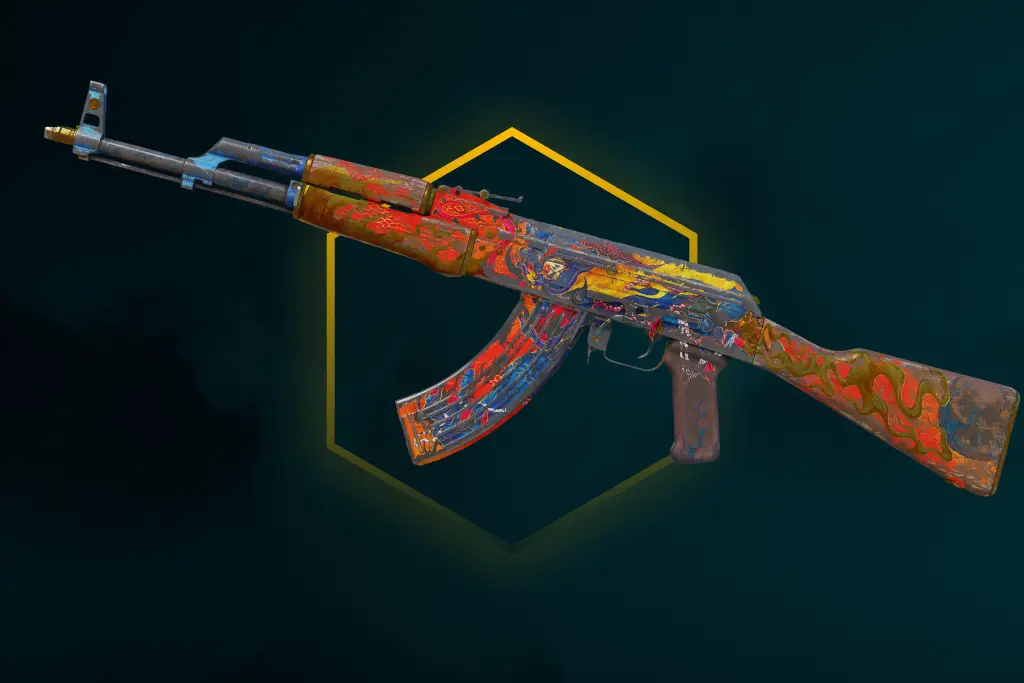
How to Check CS2 Float
For those wishing to check float in 2026, there are several options for how this can be organized. The first is the official one, which requires you to open CS2 and have the item in your inventory or its inspect link.
The second involves using third-party resources. Select a CS2 skin float checker and paste the inspect link. This option is more convenient due to its speed and the ability to check the skin even from a phone. However, we leave the choice of method up to you; below you’ll find a description of both options.
1. Checking Float In-Game
The easiest way to check float CS2 is directly in the game. If the skin whose float you want to check is in your inventory, follow these steps:
- Open CS2.
- Go to your inventory and select the skin you want to inspect.
- Right-click the skin → “Inspect.”
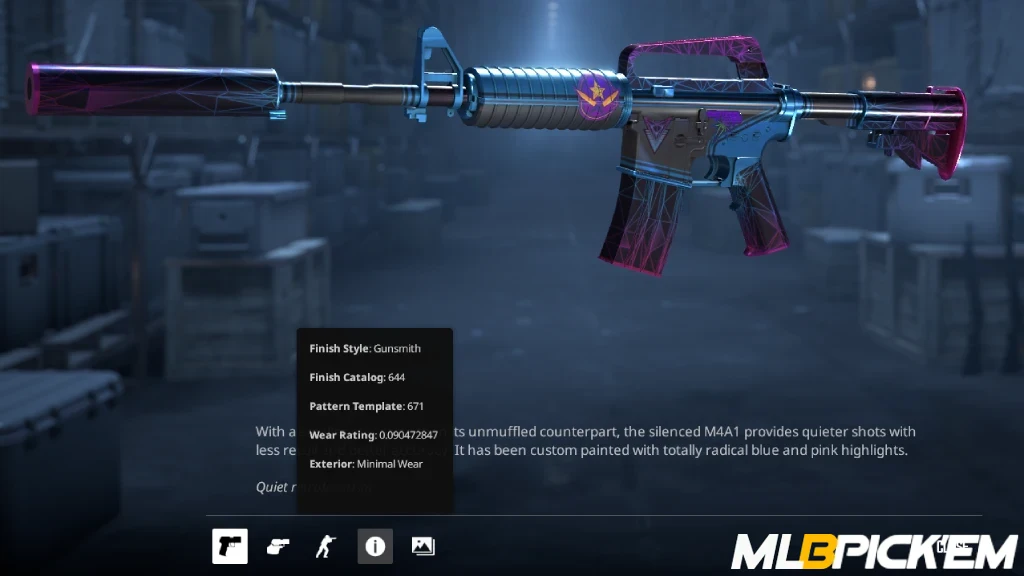
- Hover over the small “i” icon at the bottom of the screen.
- In the pop-up window, you’ll see the Wear Rating – this is the actual CS2 float value.
- You’ll also find the Pattern Template (a unique pattern ID) and the Finish Catalog (skin paint type).
If the skin isn’t in your inventory, but you have the CS2 Inspect Link for the item you’re interested in, you can still check it. Simply open the link in CS2 and go to step 4 in the list above.
2. Using CS2 Float Checkers and Marketplaces
For a faster check, you can use third-party resources. They all work through the inspect link, so you should first figure out where to find it on Steam.
Next, choose a CS2 float checker. There are a lot of them in 2026, ranging from simple websites to dedicated extensions. The principle of use is the same for both options: simply paste the inspect link into the CS float checker, and you’ll see everything you need. This includes float value, wear level, pattern template, and sometimes even item history and other parameters that help evaluate the skin before purchasing. For those comparing many similar items, this is an excellent solution.
Float vs Pattern: What Is the Difference?
Float and pattern index are two different skin parameters. We’ve already discussed what the former is responsible for, while the pattern index controls the placement of the design, color, or texture on a specific weapon model. Therefore, if you open Inspect on two identical skins, even with the same float CS2, they will look different.
The most famous examples are those skins whose value is heavily dependent on the pattern. For example, the Case Hardened pattern index determines the amount of blue. This explains the existence of the legendary Blue Gem Karambit, which costs $1.5–2M, as well as the lesser-known Gold Gem Karambit. Similarly, the pattern of Fade and Doppler skins affects the distribution of shades, phases, and visual rarity.
Float Cap CS2: Why Some Skins Cannot Exist in Every Wear Level
A float cap is a predetermined minimum and maximum float value range for a specific skin. The point is that not every skin can exist in all five wear levels (from Factory New to Battle-Scarred).
For example, if Valve limits the minimum float above 0.07, the skin physically cannot be Factory New. And if the maximum float is below 0.45, such a skin cannot exist in Battle-Scarred. This is called the CS2 float cap, and we’ve compiled specific examples of such skins in this list:
- AWP | Asiimov – 0.18-1.00: Only available in Field-Tested, Well-Worn, and Battle-Scarred. Factory New and Minimal Wear versions do not exist.
- M4A4 | Asiimov – 0.18-1.00: Like the AWP Asiimov, it cannot be Factory New or Minimal Wear. The best possible condition is Field-Tested.
- Doppler knives – 0.00-0.08: Only available in Factory New and Minimal Wear because their maximum float is too low for Field-Tested and more worn grades.
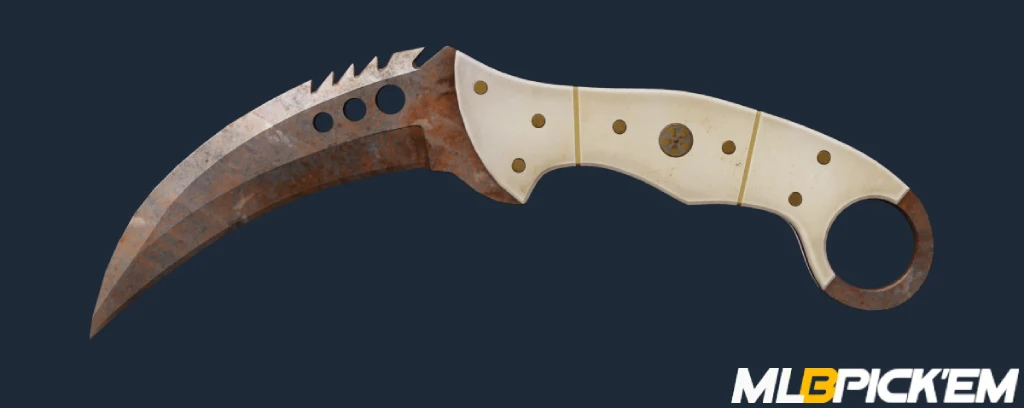
- Rust Coat knives – 0.40-1.00: These knives only exist in Well-Worn and Battle-Scarred. This makes sense visually: rust and heavy wear are part of the design.
- Desert Eagle | Blaze – 0.00-0.08: Only available in Factory New and Minimal Wear. Field-Tested, Well-Worn, and Battle-Scarred versions of this skin do not exist.
Therefore, the absence of a certain wear level on the market does not always mean that a skin is “very rare.” Sometimes, such a version simply cannot exist due to the float cap CS2.
Lowest and Highest Float Skins in CS2
Record float values are a separate aspect of skin trading, as the price here depends not on beauty but on the uniqueness of the float value itself. Collectors not only seek the lowest float CS2 skins for the lack of scratches, but sometimes also hunt for the most scratched versions, with a float value close to 1.00.
Lowest Float CS2 Skin in Counter-Strike History
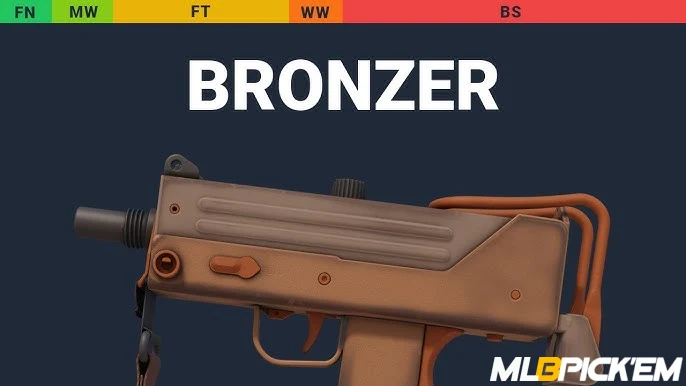
One of the most famous lowest float CS2 skins is considered to be the MAC-10 | Bronzer, with a float value of 0.00000000010431. This skin was obtained by player nnbkl, and at first glance, the item didn’t look expensive.
However, after checking the CS2 float, it turned out to be the lowest float value ever recorded. Collectors immediately took notice, and it sold for $27,000. There were also reports that the skin was later resold for $46,000, and a later owner even promised to share the profit with the original owner.
Highest Float Skin CS2 Players Have Ever Seen
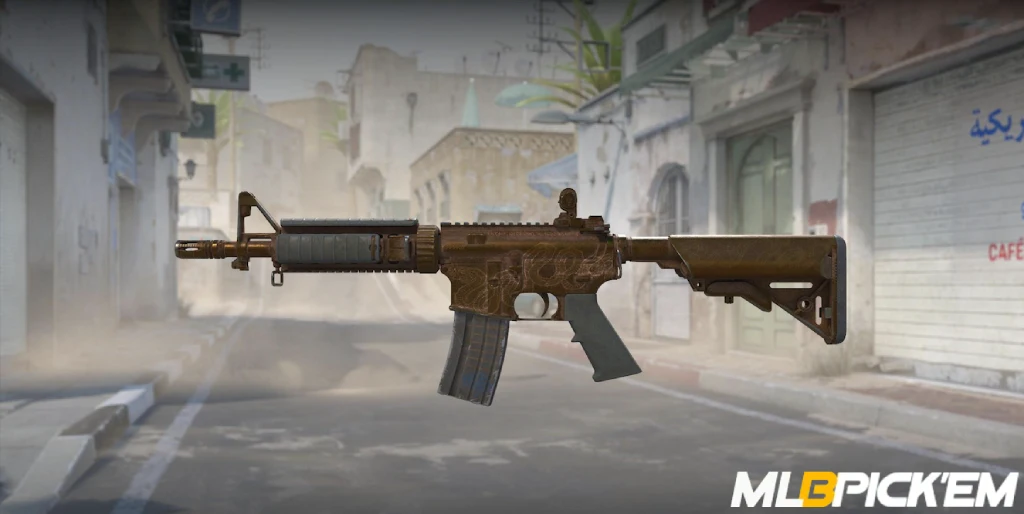
On the opposite side is one of the skins with the highest float CS2 value. It turned out to be the M4A4 | Etch Lord with a float value of 0.9999998807907104. It certainly looks very poor: the engraving is faded, the textures are shabby, there are dark areas, and it almost looks like a relic. However, since it’s the highest float skin CS2 has ever seen, it’s undoubtedly a dream for many collectors.
Why CS2 Float Affects Skin Prices
CS2 float significantly influences the price of skins because it’s tied to how the item looks in-game. Naturally, most users prefer beautiful, scratch-free skins. Factory New items usually match that description.
With each level, CS2 float values increase along with the number of abrasions. For most items, the worse the float, the lower the price. There are exceptions, of course, like the pattern index or rare stickers from the CS: GO era, but most players primarily look at float.
This relationship is best illustrated with a specific example. Let’s use the beautiful and expensive AK-47 | Wild Lotus as an example. Here, it’s clear that Factory New is more than three times more expensive than Battle-Scarred:
| Wear Level | Float Range | Example Price |
|---|---|---|
| Factory New | 0.00-0.07 | $13,858 |
| Minimal Wear | 0.07-0.15 | $9,500 |
| Field-Tested | 0.15-0.38 | $7,077 |
| Well-Worn | 0.38-0.45 | $5,315 |
| Battle-Scarred | 0.45-1.00 | $3,850 |
Common Mistakes When Buying Skins by Float
After learning about CS float, some players may begin to focus solely on this metric. Or, conversely, they may continue to ignore it and assume that the wear category is sufficient. Both are mistakes, and a happy medium must be found. To avoid wasting money, consider the following common mistakes:
- Buying only by wear category: a category like Field-Tested or Minimal Wear only gives a general idea of a skin’s condition. For example, a Field-Tested skin with a float of 0.16 may look almost like a Minimal Wear skin, while a Field-Tested skin with a float of 0.36 is much closer to Well-Worn.
- Paying more for a low float without a visual difference: a skin with a float of 0.01 doesn’t always look significantly better than the same skin with a float of 0.06. On some surfaces, the difference is barely noticeable, but the price can be significantly higher. It’s better to compare the appearance before purchasing and then decide whether the extra cost is worth it. It might be better to buy a StatTrak item instead of overpaying for a slightly lower float CS2.
- Comparing prices without considering stickers and item history: sometimes the price depends on more than just the float value. Browse other listings for the skin you’re interested in. You might find old CS: GO stickers or a beautiful pattern. Looking only at the skin float value can lead to undervaluation or overvaluation.
Final Thoughts: How to Use Float Value Before Buying or Trading
Float value is one of the most important skin parameters to check before purchasing. It greatly affects appearance, and the price difference between the best and worst options is truly significant.
Furthermore, we recommend checking not only skins before purchasing, but also the ones that have been in your inventory for a while. Perhaps you have a skin with the lowest or highest CS2 float value? Just check it using the instructions in our CS2 float guide. You might have a skin lying around that collectors are willing to pay tens of thousands for!
FAQ
The CS2 float range is a general range of values from 0.00 to 1.00 that determines the skin’s wear level. Within this range are five wear levels: Factory New (0.00-0.07), Minimal Wear (0.07-0.15), Field-Tested (0.15-0.38), Well-Worn (0.38-0.45), and Battle-Scarred (0.45-1.00).
No, the float value is assigned to the skin when it’s created. After that, it will never change. Even if you play 10,000 matches, apply and remove hundreds of stickers, and sell the item, the float will remain the same. There are no actions that increase or decrease the float.
Because they look brighter, and have minimal or no scratches or abrasions. Since players prefer these new, clean skins, they are in higher demand. This translates into a higher price for all items with a Factory New float range.
Read also: