mn
mn  ru
ru 
Trade Up Contracts in CS2: Full Guide 2025
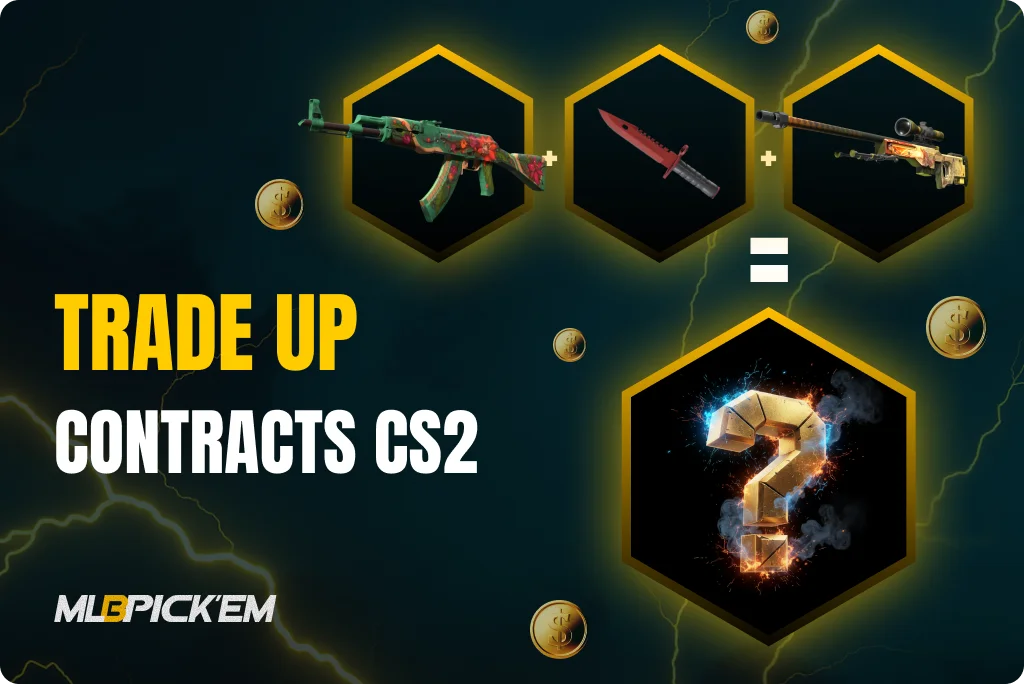
It’s hard to imagine Counter-Strike without skins. They’ve long become an essential part of the game, and for most players, the word “CS2” instantly brings to mind a bright and rare skin. One of the most interesting features connected to skins is the CS2 Trade Up Contract. It allows you to exchange cheap or unwanted items for a skin of higher value. Some of the most experienced players even manage to turn these Trade Ups into a way to make money.
In this exclusive article for MelBet Pick’em, we’ll take a closer look at what CS2 Trade Ups are, how they work, and which strategies can help reduce the risks. We’ll also share practical tips and highlight some of the best Trade Ups in CS2 2025. Make sure to read until the end — you’ll discover new ways to get more out of your favorite game!
Read also:
What Are Trade Up Contracts in CS2
More than 10 years ago, on June 10, 2015 to be exact, CS:GO Trade Up Contracts were added to the game. This feature allowed players to exchange 10 skins of the same rarity for one item of a higher rarity from the same collection. Since then, Trade Up contracts have become a key part of the CS skin economy: they helped players get rid of cheap or unwanted items while giving a chance to land something valuable. In CS2 Trade Up Contracts remain unchanged, and today they are still one of the most popular ways to upgrade your inventory.
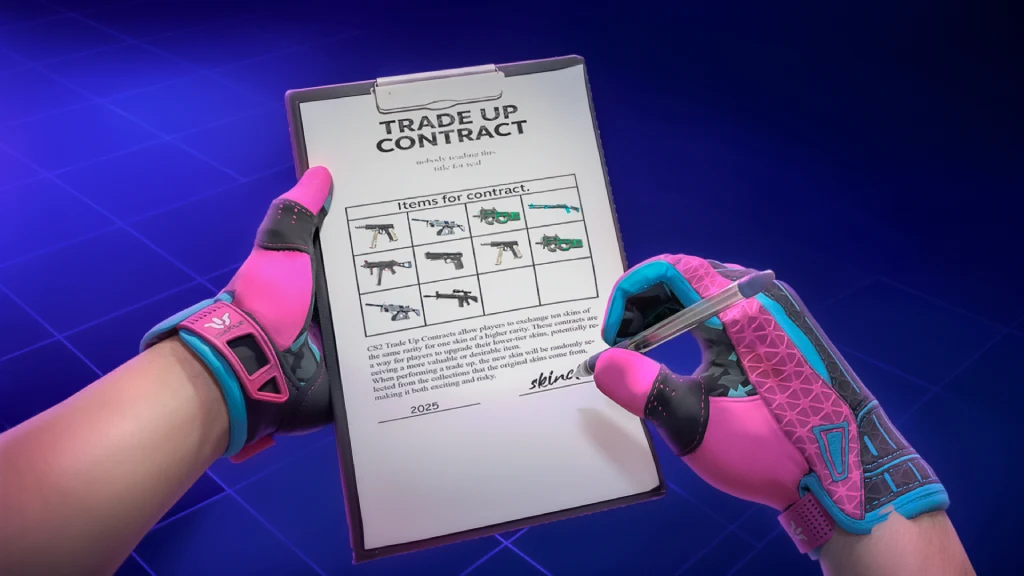
How Trade Up Contracts Work in CS2
CS2 Trade Up Contracts are fairly simple, but they come with a few important rules and details:
- You need 10 skins of the same rarity: For example, 10 Mil-Spec skins will turn into 1 Restricted skin;
- The result is always one tier higher: Restricted becomes Classified, Classified becomes Covert, and so on;
- StatTrak and non-StatTrak items cannot be mixed: A CS2 Trade Up Contract must be entirely StatTrak or entirely standard skins;
- The collections of your input skins define the outcome pool: If you use skins from multiple collections, the drop chance will be split between them;
- Float value carries over to the new skin: The condition of the item you get from a CS2 trade up contract depends directly on the average float of the skins you used.
Step-by-Step Guide to CS2 Trade Up
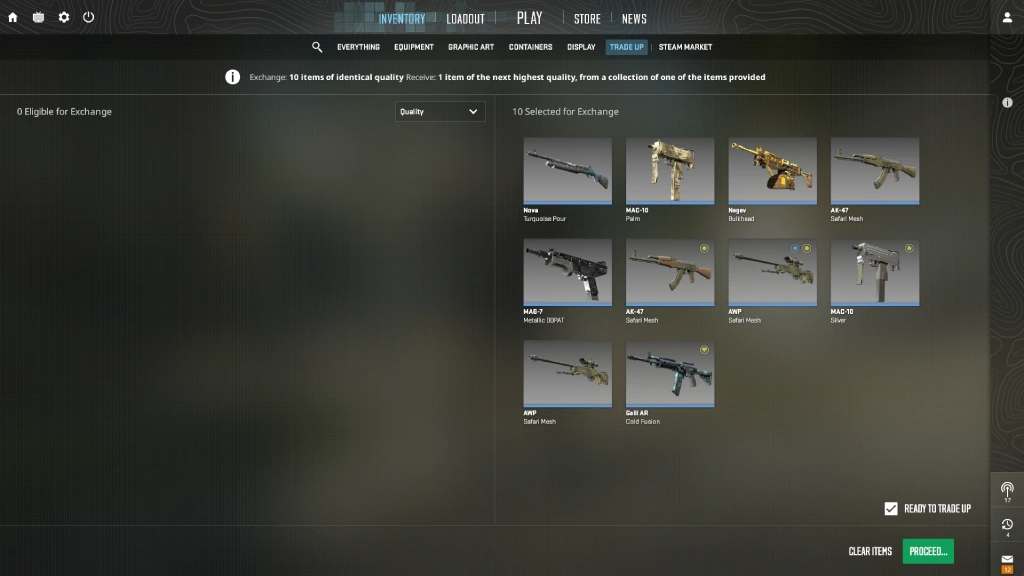
Rules and mechanics are important, but it’s much more exciting to try everything in practice. To complete your first CS2 Trade Up Contract, launch Counter-Strike 2 on your PC or laptop and follow these steps:
- Open the main menu and go to the “Inventory” tab;
- Find and click on the “Trade Up Contract” section;
- In the menu that appears, select 10 skins of the same rarity for the exchange;
- Click the confirm button — a contract screen will open. Sign it digitally with your mouse and confirm the trade;
- After a short animation, you’ll receive a new skin of higher rarity.
Float Values and Their Impact on Trade Ups
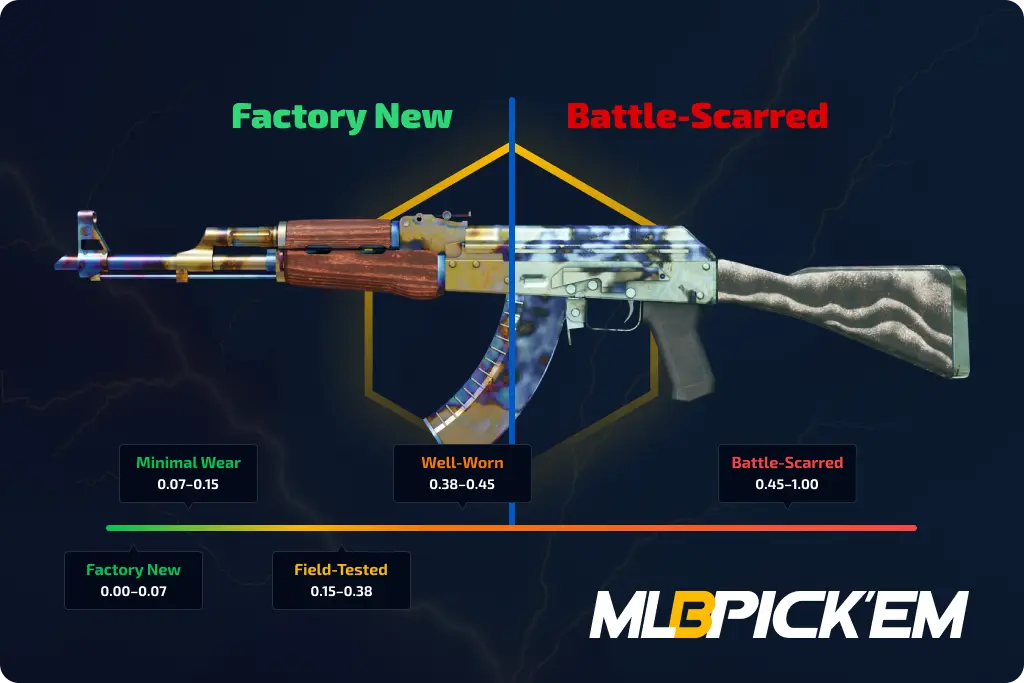
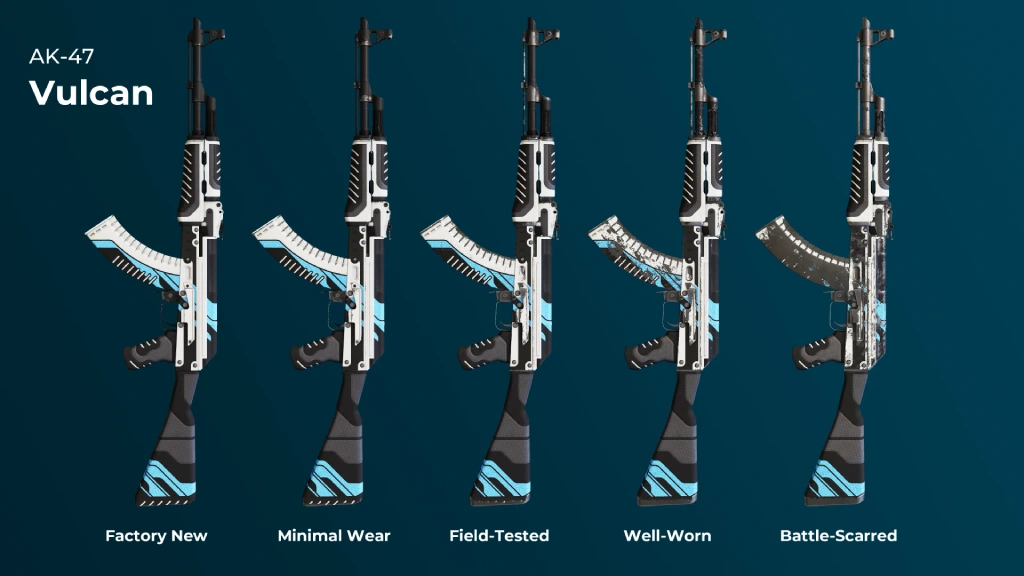
CS2 Trade Up Contracts are always random, but there’s one parameter you can calculate in advance — the float value. This is a number between 0.00 and 1.00 that determines a skin’s wear. 0.00–0.07 is Factory New, 0.07–0.15 is Minimal Wear, followed by Field-Tested, Well-Worn, and Battle-Scarred. The final CS2 Trade Up float is based on the average float of all items used in the contract.
- Formula: Output Float = (Max Float – Min Float) * Average Input Float + Min Float
If you use ten Factory New skins with a low float (0.01–0.03), the chance of getting a Factory New output skin is very high. This matters because the price gap between Factory New and Field-Tested in some collections can reach dozens or even hundreds of dollars. That’s why every profitable CS2 Trade Up starts with carefully selecting input skins with the lowest possible float value.
Strategies for Successful Trade Up Contracts
Anyone with real experience in Trade ups in CS2 knows this: throwing 10 skins into a contract and just hoping for luck is the fastest way to lose money. To make a CS2 Trade Up Contract actually profitable, you need to consider many factors. Here are the basic rules — without them, a profitable Trade Up in CS2 is almost impossible:
- Stick to one collection: this way you at least partially control the drop pool and increase your chance of hitting a valuable skin. Mixing too many collections = pure randomness;
- Check market prices in advance: compare the cost of your input skins with the possible outcomes (especially within a single collection). Sometimes it’s smarter to sell skins on the Steam Market rather than risk it for uncertain CS2 Trade up profit;
- Watch float values: a low CS2 float on the inputs means higher chances of receiving a Factory New skin. The price difference between FN and FT in some collections can reach hundreds of dollars;
- Use calculators and tools: in 2025 there are plenty of reliable services. Find a CS2 Trade up calculator you like and use it to calculate probabilities and expected prices before you commit;
- Follow market trends (Steam and third-party sites): skin prices are volatile. Keep an eye on graphs, buy input skins when prices dip, and sell the output at its peak.
Best Trade Up Contracts in CS2 (2025)
Trade Up Contracts have been around for many years, and millions of players have already used them. Through trial and error, as well as mathematical calculations, certain working crafts were discovered. Of course, profitable Trade ups in CS2 don’t last forever — as soon as a good recipe appears, the prices of required skins skyrocket and the profit margin disappears.
That said, in 2025 there are still some solid CS2 Trade ups that we calculated using a CS2 Trade up calculator. But remember: this is not a guaranteed money-making scheme. Always check the market, account for float values, and calculate potential profit before you craft. Skin prices change quickly, and what looks profitable today can become a loss in just a week.
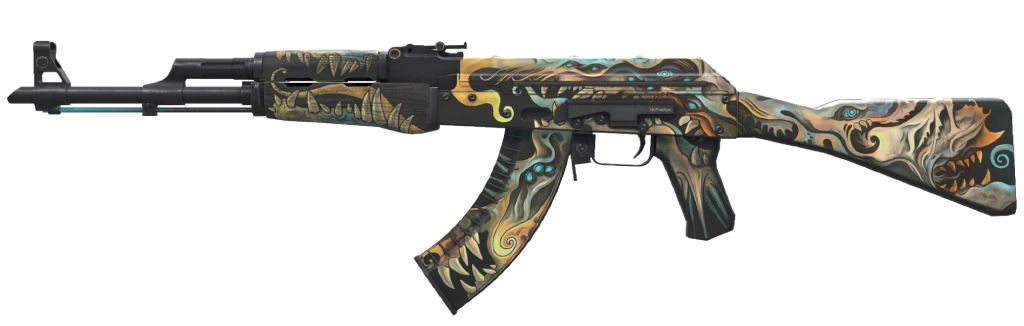
AK-47 | Phantom Disruptor
The rifle’s body is coated in matte black paint and decorated with a surreal pattern resembling body parts of fantastical monsters. The design includes pastel shades of yellow, blue, pink, and orange, creating a “nightmare on canvas” effect. Recipe:
| Item | Quantity | Chance |
|---|---|---|
| Sawed-Off | Apocalypto | 10 | 33.33% |
AWP | Paw
The sniper rifle features a playful cartoon design with colorful cats and dogs across its body. The buttstock and scope remain unpainted, creating a fun contrast against the artwork. AWP | Paw stands out as one of the most cheerful and unique AWP skins in CS2. Recipe:
| Item | Quantity | Chance |
|---|---|---|
| Glock-18 | Warhawk | 10 | 20% |

M4A4 | Evil Daimyo
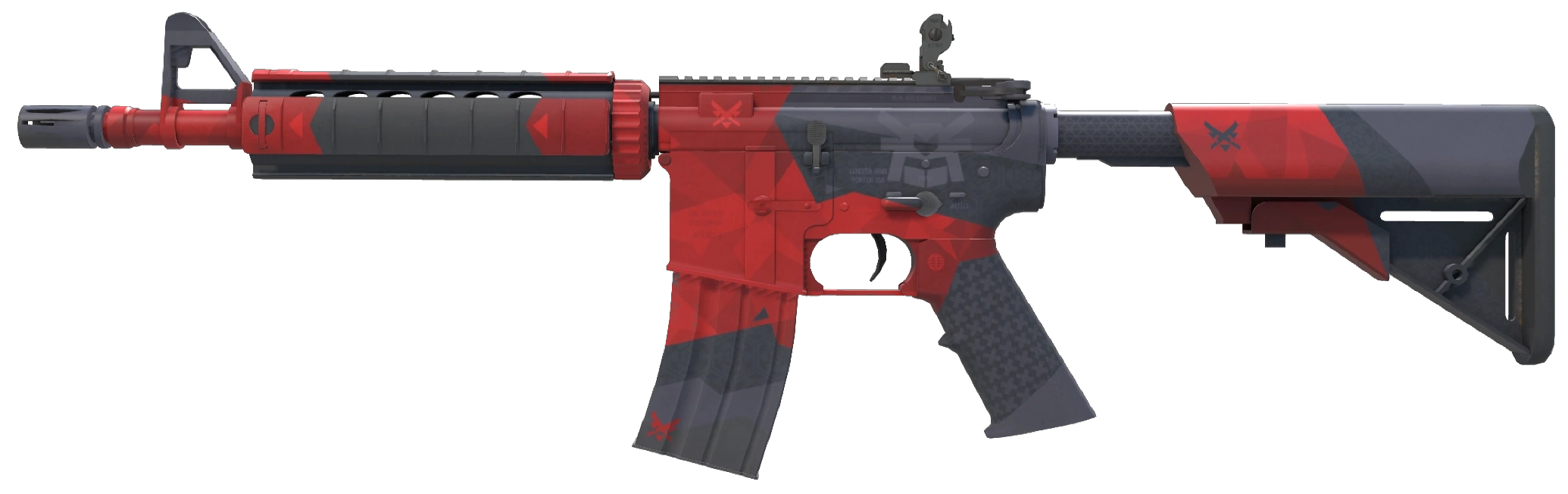
The rifle is finished in deep black and covered with geometric patterns in shades of red and gray. At the center, a samurai helmet icon stands out, while smaller crossed-sword emblems decorate the rest of the gun. One of the most recognizable M4A4 skins. Recipe:
| Item | Quantity | Chance |
|---|---|---|
| Nova | Ranger | 10 | 20% |
P250 | Supernova
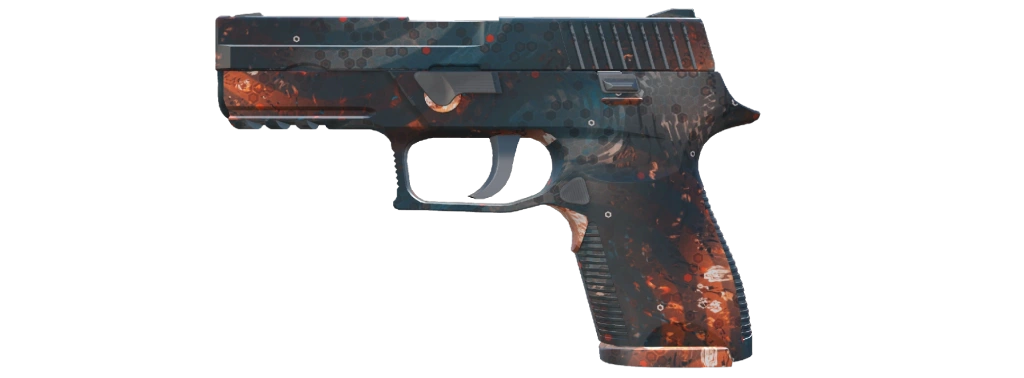
The pistol’s body is painted with a striking gradient of blue and orange. The background features a complex cosmic-style pattern with translucent curves, white blotches, and a hexagonal grid. The design resembles a glowing space nebula. Recipe:
| Item | Quantity | Chance |
|---|---|---|
| P2000 | Ivory | 10 | 25% |
M4A1-S | Decimator
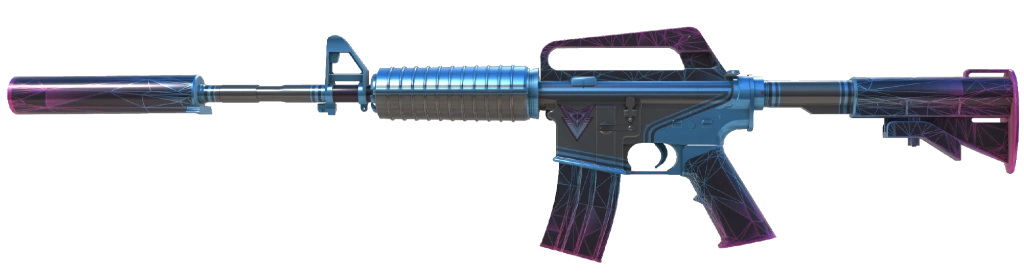
The rifle’s black body is decorated with a vibrant geometric pattern of pink and cyan triangles. Some parts are fully painted in solid blue. Above the magazine sits a futuristic emblem in the same neon color scheme. Recipe:
| Item | Quantity | Chance |
|---|---|---|
| MAC-10 | Last Dive | 10 | 33.33% |
USP-S | Cyrex
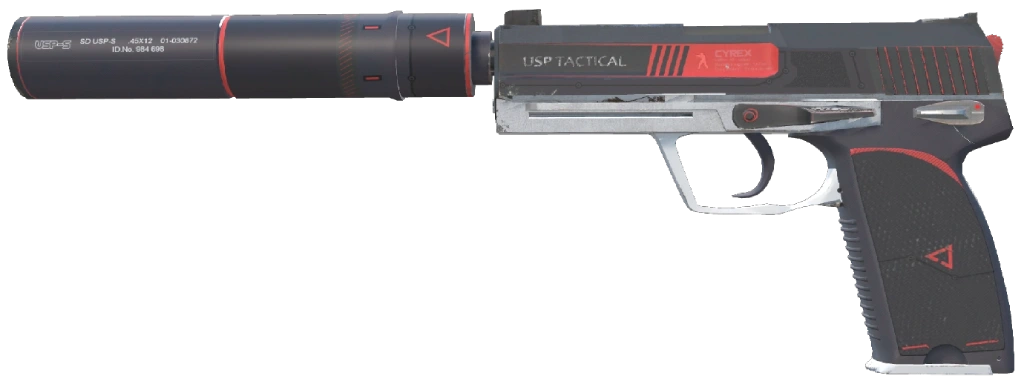
This futuristic USP design features a sleek black body with bold red stripes of varying thickness. Some parts are finished in solid white for contrast. The slide displays the silhouette of a Counter-Terrorist emblem. A clean, modern, and stylish CS2 USP skin. Recipe:
| Item | Quantity | Chance |
|---|---|---|
| P2000 | Turf | 5 | 20% |
| Glock-18 | Ironwork | 5 |
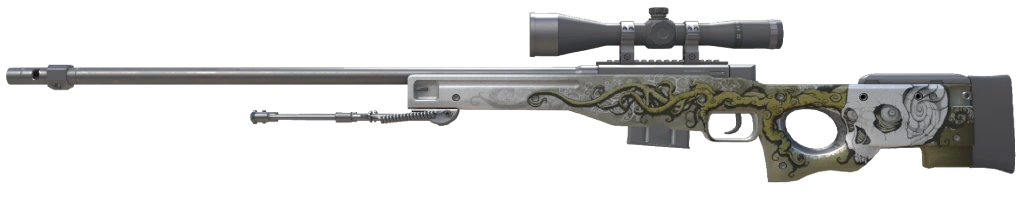
AWP | Worm God
The rifle’s black frame is highlighted by artwork of an African tree viper in teal-green tones. The scope is decorated with a scale-like snake skin texture, giving the skin a striking yet balanced look. Recipe:
| Item | Quantity | Chance |
|---|---|---|
| Galil AR | Firefight | 10 | 16.6% |
AK-47 | Slate
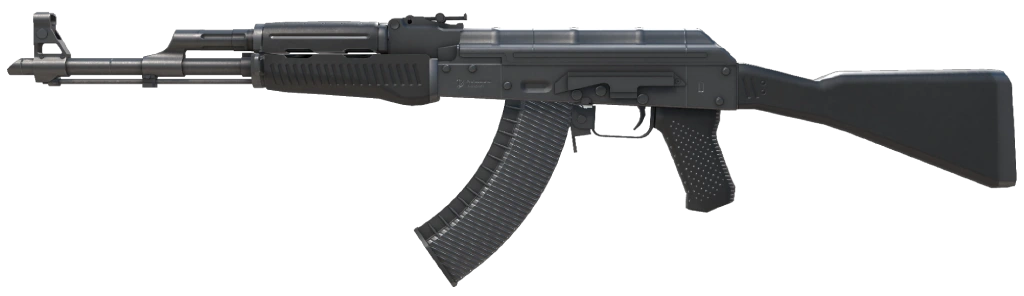
A minimalistic yet bold design: the entire rifle is matte black, with textured inserts on the handguard, magazine, and grip, resembling rough stone. A simple but highly popular CS2 AK skin. Recipe:
| Item | Quantity | Chance |
|---|---|---|
| Nova | Windblown | 10 | 20% |
M4A1-S | Emphorosaur-S
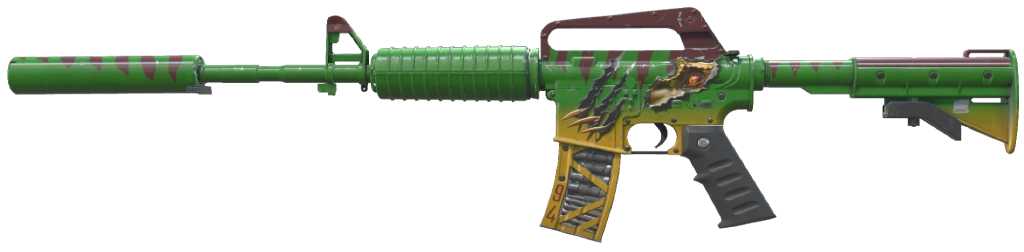
The rifle’s body is painted in green and brown, mimicking dinosaur scales. The receiver shows detailed eyes and claws of a dinosaur, while the bright yellow magazine is marked with bullets and the number “94.” A unique and exotic skin that immediately grabs attention. Recipe:
| Item | Quantity | Chance |
|---|---|---|
| P250 | Re.built | 10 | 20% |
AWP | Phobos
A futuristic, cyberpunk-inspired design. The body is finished in dark-green metal panels with yellow-black details. Buttons, indicators, and glowing elements add depth, while part of the barrel remains unpainted. A budget-friendly but iconic AWP in CS2. Recipe:
| Item | Quantity | Chance |
|---|---|---|
| Nova | Exo | 10 | 20% |

Conclusion
Trade Up Contracts in CS2 are a fascinating mechanic from Valve that appeal to different types of players. For some, it’s simply a convenient way to get rid of unwanted low-tier skins and exchange them for something better in their inventory. Others take it much more seriously: using best CS2 Trade up calculators, running mathematical calculations, and trying to turn contracts into a real profit strategy.
Overall, there are no strict limits — each player decides how to use CS2 Trade up contracts. But one thing is important: always calculate the potential outcome value and remember the risks. There are no 100% profitable Trade ups in Counter-Strike 2 — even the best ones still rely on luck. Approach it wisely, stay prepared for risk, and Trade ups will bring you both excitement and fun. Good luck with your games and your contracts!
FAQ
CS2 Trade up contracts let you exchange 10 skins of the same rarity for one skin of a higher tier. The outcome depends on the collections you use in the contract. If you mix different collections, the chances are split between them. Here, math and luck always go hand in hand.
Yes, you can now. After the CS2 update on October 23, 2025, players can indeed obtain knives and gloves through the Trade Up contract. To do this, you need to use 5 Covert (or StatTrak Covert) items. Once the contract is confirmed, you are guaranteed to receive a knife or gloves from one of the collections that the used skins belong to.
Always 10 items. No more, no less. And remember: StatTrak and non-StatTrak skins cannot be mixed. A CS2 Trade up contract must be either entirely StatTrak or entirely non-StatTrak. There are no exceptions to this rule.
Yes. The float is carried over using the average float formula from all input skins. The lower the average float, the better the condition of the output skin. With the right inputs, you can increase your chances of getting Factory New or Minimal Wear.
The best Trade ups CS2 2025 include AK-47 Phantom Disruptor, AWP Paw, M4A1-S Decimator, plus several budget options like USP-S and P250. But keep in mind: profitable Trade ups don’t stay profitable for long. Prices of input skins rise quickly, so always double-check with a CS2 Trade up calculator before crafting.
If you want a specific skin, it’s usually easier to buy it outright. CS2 Trade Up Contracts are more about the thrill and the math. With the right strategy, they can be profitable, but the risk of loss is always there — and you need to factor that in beforehand.
Read also: