mn
mn  ru
ru 
CS2 Sticker Slab Guide
Have you ever refused to apply a sticker to a skin because you didn’t want to lose its value? We’re sure this is a common problem faced by owners of expensive items. The developers also noticed this and in 2025 a new cosmetic item was added – Sticker Slab. We’ll explain what it is and how to use it in this MelBet Pick’em guide.
What Is a Sticker Slab in CS2?
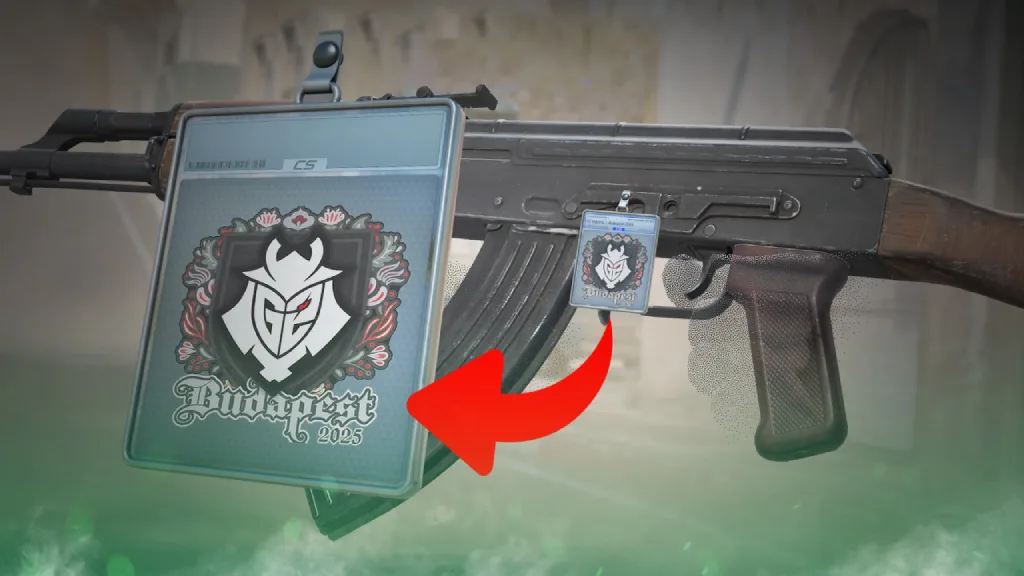
The Sticker Slab in CS2 is a special cosmetic item that allows you to place a sticker in a transparent container and use it as a charm on a weapon. The main advantage of using stickers this way is that they are not permanently attached. You can remove the sticker at any time, but the Slab is destroyed when you do so.
This item was first added in the November 2025 update, as part of the StarLadder Budapest Major 2025. CS2 Sticker Slabs were able to remove the main drawback of the old, expensive stickers – the inability to use them without permanently losing their value. This allows players to showcase their expensive stickers in real-world gameplay while maintaining the ability to sell them later, rather than simply storing them in their inventory.
How to Get Sticker Slab CS2
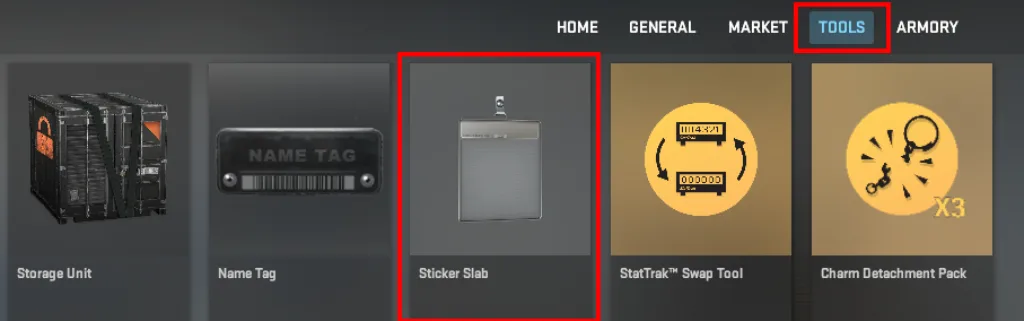
You can only obtain an empty Sticker Slab in CS2 by purchasing it through the in-game store. The current Sticker Slab CS2 price is $0.49. Furthermore, this item is always available in unlimited quantities.
It’s also worth noting that it’s impossible to sell or buy empty Sticker Slabs through the Steam Community Market. The marketplace only offers Slabbed Stickers (items with stickers already sealed inside). Therefore, theoretically, if you want to get rid of your empty Slab, you can use it along with any sticker in your inventory. Moreover, if you look at the Community Market, the minimum Sticker Slab price is usually $0.60.
How to Use a Sticker Slab in CS2
Using the CS2 Sticker Slab doesn’t require any complicated steps. Simply purchase an empty container and select a sticker. The rest takes no more than two minutes. We’ve detailed each step in this list:
- Purchasing a Sticker Slab: Go to the in-game store and purchase this item. The price is fixed, and after the transaction, the item immediately appears in your inventory.
- Choosing a Sticker: To use the Sticker Slab CS2 , you need any sticker. This can be an item from the new collections or older ones from the CS:GO era. If you don’t have any stickers in your inventory, you can quickly purchase them through the Steam Community Market. Stickers typically start at $0.10.
- Sealing a Sticker: Once the sticker is in your inventory, right-click it. You’ll see several options, and select “Seal in Sticker Slab.” This will open a preview window displaying the final appearance of the item (the sticker itself, its name, and its visual design). At this point, make sure you’ve selected the desired sticker and confirm the action.
- Attaching to a weapon: The item obtained in the previous step functions as a charm. Right-click on it, select “Attach Charm,” and select the weapon. The sticker will then appear on the selected weapon. You can move it to a different position at any time.
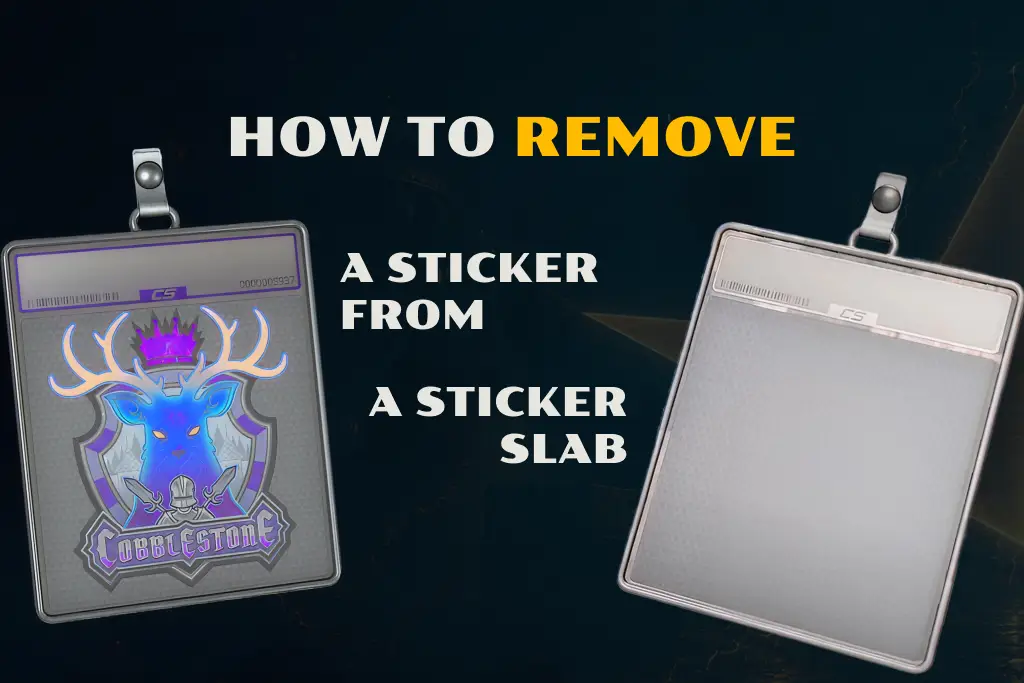
How to Remove a Sticker from a Sticker Slab
If you’re tired of a sticker in a container, you can remove it at any time. From the sticker’s perspective, this is a reversible action. However, the Sticker Slab CS2 itself is destroyed and cannot be reused. Next time, you’ll simply need to purchase another empty container from the in-game store.
The entire process of removing a sticker can be described in two steps:
- Remove the Slab from a weapon: Open your inventory and select the weapon on which the Sticker Slab is used. Then, click the Detach Charm button.
- Extract the sticker: Find the Sticker Slab in your inventory and right-click it. Select “Extract Sticker” and confirm the action in the preview window. The system will then perform the extraction.
The sticker itself will immediately appear at the very top of your inventory. It will retain its original appearance without any changes.
You can reuse it in the Slab or sell it on the market. If you choose the latter option, keep in mind that depending on your recent actions with the item, the sticker may experience a trade cooldown.
Sticker Slab Numbers Explained
After the addition of Sticker Slab CS2, the most discussed topic became the “numbers” displayed on the item. Initially, players mistook them for unique characteristics, similar to the CS2 float values on skins, but this is incorrect.
In fact, these are sticker catalog numbers. Each identical item has the same number; it simply reflects the sticker’s position in the game’s overall database. This is completely irrelevant to rarity.
However, the market reacted predictably to these beautiful numbers. On the very first day, players began searching for stickers with #1, #69, #420, #111, and so on. There were even attempts at speculation, and some items temporarily increased in price.
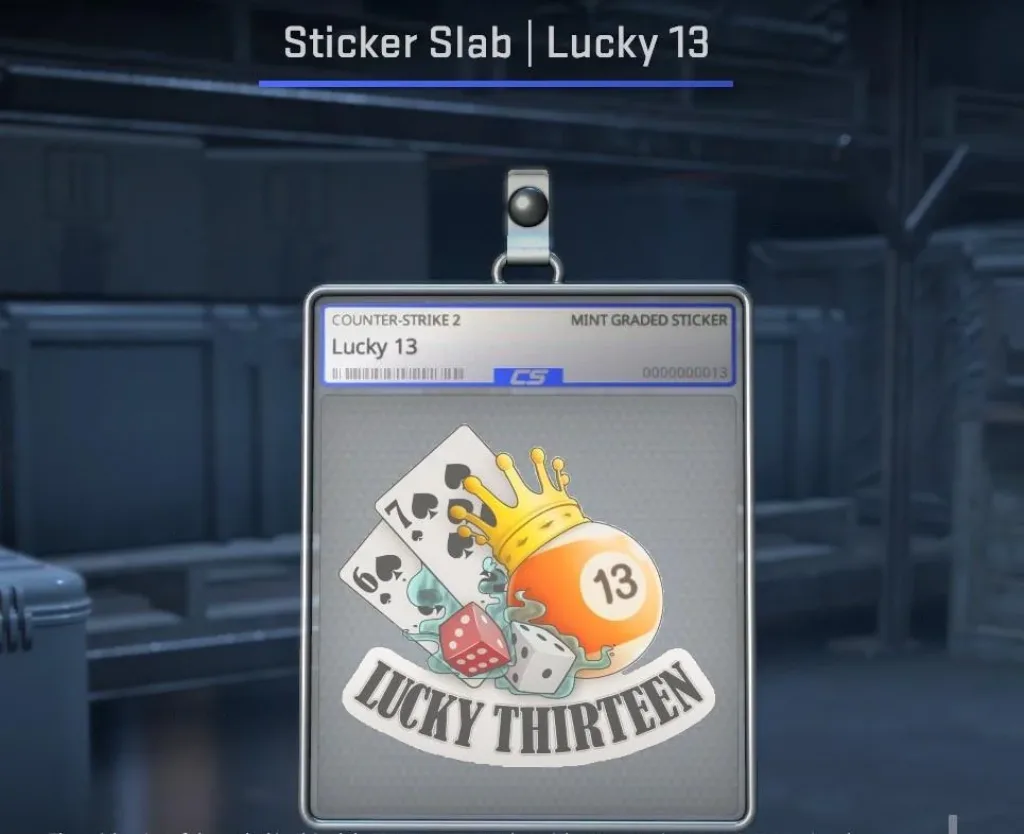
How Sticker Slabs Affect the CS2 Market
The main feature of this update wasn’t the additional cosmetic item, but the ability to use stickers without losing their ability to sell them. This had the biggest impact on the market.
Demand for rare and expensive stickers increased almost immediately. This was especially true for:
- Katowice 2014 (holo, foil)
- Old tournament collections
- Limited autographs
This is quite logical. Now you can show off your expensive stickers. Interest in customization has increased due to the reduced psychological barrier to using expensive items.
Pros and Cons of CS2 Sticker Slabs
The new customization tool has been well-received, especially by traders. Overall, its advantages clearly outweigh its disadvantages, but there are still some limitations, and you should be aware of them if you want to use Slab.
-
Ability to display rare and high-value stickers safely during gameplay
-
Try before apply functionality for testing visual combinations
-
No permanent loss, allowing you to use stickers without committing them to a single weapon
-
Increased usability of expensive inventory items that would otherwise stay unused
-
Encourages more experimentation with customization
-
Slab is destroyed after extraction, making it a single-use item
-
Requires an additional cost for every new application cycle
-
Visual style may not appeal to all players depending on preferences
-
Can look inconsistent or out of place on certain weapon skins
FAQ
Sticker Slabs can only be purchased through the in-game store. The price is fixed at $0.49. This item does not drop from cases or the Weekly Drop Pool.
No, this container is single-use and is destroyed after the sticker is removed. This is intended to balance the system, preventing the endless use of the same tool.
An empty Slab cannot be sold on the Steam Community Market, as it is classified as a tool. However, items of the type “Slab | [Sticker]”, i.e. stickers already placed in a container, are separate market objects and can be freely sold.
Read also: