mn
mn  ru
ru 
How to Bind Noclip CS2 Guide
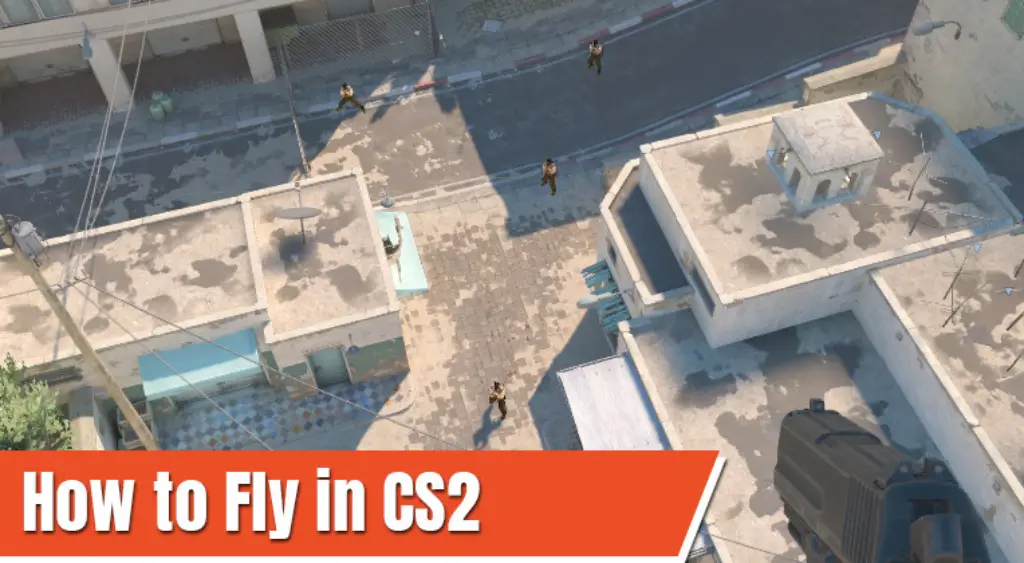
Have you ever thought about seeing Counter-Strike maps from a bird’s eye view? It sounds like a dream, giving you a huge advantage over other players. But what if we told you that the CS2 fly command actually exists? This command has been familiar to players since the days of CS:GO and is called noclip.
In this article for MelBet Pick’em, we’ll explain how to fly in CS2 and in which modes you can do it. You’ll also find a detailed guide on how to bind noclip in CS2, making flying around the map much more convenient!
What is the Noclip Command in CS2?
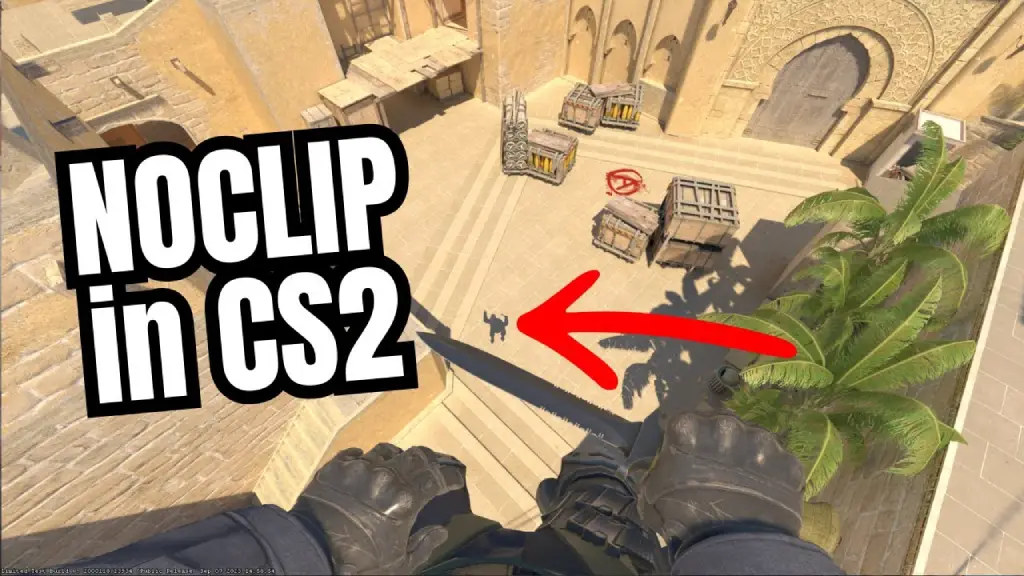
The noclip command CS2 is a console command that allows the player to move around the map, completely ignoring the game’s physics. It’s often referred to as the CS2 fly command, as when used, all collision and gravity are disabled. This allows the character to fly in any direction, pass through walls, ceilings, and floors, and ascend to unlimited heights.
Where Can You Use Noclip in CS2?
As much as you might not want to, you can’t use the fly command CS2 in Premier, Competitive, or all other official game modes. The noclip command only works on private servers where cheats are enabled via sv_cheats 1. These modes include offline practice, practice with bots, and custom maps from the Workshop.
In all other modes, the server simply ignores the command. This limitation is built into the server logic and is not related to client errors.
To use the noclip CS2 command, the following options are available:
- Practice with Bots – Play → Practice → Practice with Bots.
- Offline mode without connecting to Valve servers.
- Workshop maps – launch custom maps from the Steam Workshop.
- Community servers – only if sv_cheats 1 is enabled by the administrator.
How to Enable Developer Console in CS2
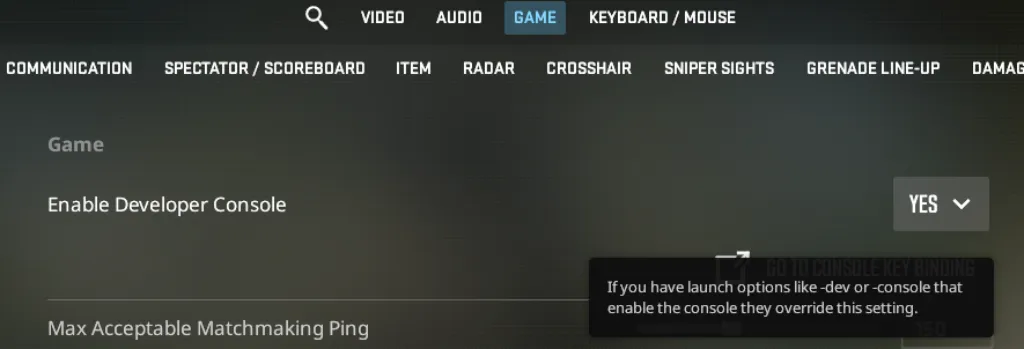
CS2 noclip is a console command, so you need to enable the Developer Console. You can do this through the settings using this step-by-step guide:
- Open Settings → Game
- Find “Enable Developer Console” and set it to “Yes” (enable developer console CS2).
- Apply the changes and close the settings.
- Press the ~ / ` (tilde) key directly in the menu. This should open the CS2 developer console.
If the console doesn’t open, make sure the English keyboard layout is selected. If the problem persists, assign a different key in Keyboard/Mouse → Toggle Console.
CS2 How to Fly in Practice
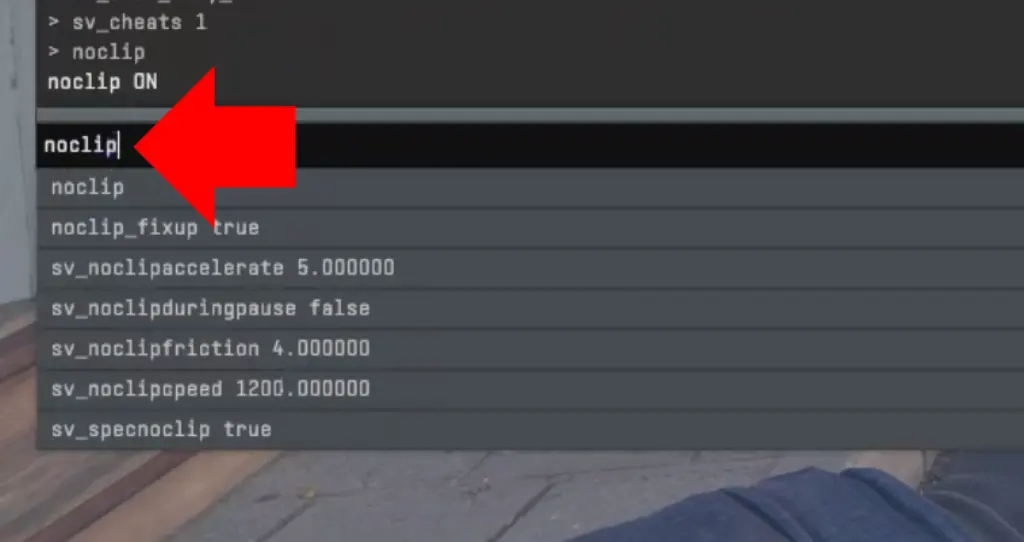
Before setting up noclip bind CS2, you need to test the command’s functionality when entered manually. It’s as easy as pie to do this. We’ve prepared a comprehensive guide that’s especially relevant for those who simply want to use noclip as a fly command CS2 manually:
- Launch the offline / practice / Workshop map.
- Open the console with the ~ key.
- Enter sv_cheats 1 to enable cheat commands.
- Enter noclip to activate flight.
- Entering noclip again disables the mode.
In the first few minutes after entering noclip CS2, you’ll need to get used to the controls. Movement is controlled by the same keys: W / A / S / D. Flight direction depends on your view. Looking up causes the character to ascend, while looking down causes the character to descend.
How Does a Bind Work in CS2?
In CS2, a bind is a binding of one or more console commands to a specific key. This means that instead of constantly entering commands, you simply bind them to a specific key and activate them with a single keyboard press every time.
This is incredibly convenient, and with regular use, it can save a lot of time. Another advantage is that you don’t need to memorize the commands. Just remember the key you’ve configured, and that’s it.
How to Bind Noclip in CS2
Using a bind allows you to instantly activate the CS2 fly command. If you use this command frequently, bind noclip CS2 is a must-have. There’s no point in constantly entering the command in the console.
We’ve prepared two valid versions of noclip bind CS2. They produce the same results, but their usage scenarios may differ slightly.
1. Basic Noclip Bind
- bind v “noclip”
This CS2 fly command bind is suitable if the sv_cheats 1 command is already enabled on the server. The bind simply toggles noclip on/off. This can be called a “minimalistic solution” for practice sessions where cheats are manually enabled once.
2. Noclip Bind With Cheats
- bind v “sv_cheats 1; noclip”
This noclip CS2 bind automatically enables cheats and immediately activates the fly command when you press a key. We believe this option is more universal, as it eliminates the need to enter sv_cheats 1 each time after starting a map or rejoining the server.
Key Selection Recommendations
For bind noclip command CS2, it is recommended to use keys that are not used in combat. You don’t want accidental keypresses, right? Therefore, it is recommended to use:
- ALT
- V
- P
- F5
- Extra Mouse Buttons (Mouse4 / Mouse5)
You can choose any keys you want, but the main thing is to avoid using the movement, jump, and shoot keys. Fly bind CS2 should not interfere with normal gameplay in any way.
Advanced CS2 Noclip Binds & Customization
The basic CS2 bind noclip setup isn’t always convenient. Flying may seem too fast, or on the contrary, sometimes you want to move around the map even faster. This is all entirely customizable. There are special commands that can be entered individually or added to the bind noclip CS2 command. It all depends on your preferences, but we’ll describe all the flight customization options in Counter-Strike 2below.
Adjust Noclip Speed
- sv_noclipspeed 1200
The noclip speed CS2 parameter controls flight speed. Recommended values:
- 600-1000 – slow flight. Good for grenade training.
- 1200 (default) – universal value.
- 2000-3000 – fast map movement.
You can specify even higher values, but keep in mind that this will likely lead to disorientation and camera bugs, especially outside the map.
Adjust Acceleration & Friction
- sv_noclipaccelerate 5
- sv_noclipfriction 4
These parameters control the overall “feel” of flight in noclip mode:
- sv_noclipaccelerate – acceleration.
- sv_noclipfriction – inertia and stopping abruptness.
Lower acceleration and braking values feel smoother. Higher values make every movement sharper, which can be more convenient when using grenades.
The optimal setting is as close as possible to the standard Counter-Strike 2 physics:
- sv_noclipspeed 1200
- sv_noclipaccelerate 5
- sv_noclipfriction 4
Best Uses of Noclip in CS2
Many view the CS2 noclip command as a pastime. Flying around maps, shooting bots, and finishing a round in the first 10 seconds, etc. However, experienced players know that bind noclip CS2 is an excellent practical tool, and its use can be used for several purposes:
- Map exploration: In Counter-Strike 2, many maps have been reworked, and new ones are regularly added. Assessing location geometry, timing, and sightlines in real matches isn’t always convenient. However, bind noclip CS2 allows you to move almost instantly, checking elevations, shooting angles, and potential positions.
- Grenade lineups practice: CS2 noclip bind is best suited for analyzing grenade trajectories. You can throw a grenade and quickly fly after it to inspect all the bounce points, the flight height, and the final impact site.
- Custom Map Testing: If you enjoy creating maps and mods, you’ll definitely need the fly CS2 command. This command will save you hours of time by allowing you to quickly fly around an entire location, checking lighting, geometry, and position accessibility. Noclip CS2 is one of the most important development tools built into the Source 2 engine.
Common Noclip Problems & Fixes
While using noclip bind CS2 isn’t considered difficult, issues do occasionally occur. According to discussions on the Steam forum, the three most common issues players encounter are:
1. Noclip Not Working
When entering the command, either the message “noclip command ignored” appears, or nothing happens at all. First of all, we recommend entering sv_cheats 1 in the console. If this doesn’t help, check what mode you’re in. CS2 noclip bind only works in private modes (practice, offline, or Workshop maps). Neither sv_cheats nor noclip will work in official modes.
2. Bind Not Responding
If the noclip command itself works when entered in the console, but the bind doesn’t, the problem is usually related to a key conflict or a binding configuration error. First, check that the key you selected isn’t being used for another action. If necessary, reset it using unbind [key].
After that, set bind noclip CS2 again. We also recommend setting the bindings in autoexec.cfg. This way they will never reset after restarting the game or updates.
3. Flying Too Fast or Crashing
On low-end PCs, too-fast flight speed can cause game instability. Sometimes, the game may crash.
To reduce the risk of visual bugs and launcher crashes, we recommend reducing the flight speed using the sv_noclipspeed command. A comfortable level is considered to be 800-1200.
Final Thoughts
Noclip CS2 is not a cheat or a way to gain an unfair advantage. The developers added it for the benefit of the players themselves. It’s a great tool for learning, practicing, and analyzing. When used correctly, the CS2 fly command helps you quickly and better understand map geometry and improve your grenade throws.
Don’t be afraid to customize your bind noclip CS2 settings. Fly, practice, learn, and your in-game skills will surely improve!
FAQ
To fly in CS2, you need to launch practice mode or an offline map and open the console. There, enter sv_cheats 1, followed by the noclip command. Flight is activated immediately; to disable it, simply enter noclip again.
To save a command to a specific key, open the console and enter the command bind [key] “the command you want”. The recommended option is bind alt “sv_cheats 1; noclip”. This simultaneously activates cheat mode and turns on flight mode in CS2.
In Counter-Strike 2, the noclip command is already a toggle command. This means that each new command entry or press of the bind key toggles flight mode on or off. There is no separate toggle noclip command.
You should use keys not used in combat. Optimal options include ALT, V, P, F5, or additional mouse buttons. The lower the risk of accidental presses, the better.
Yes, but only if the server allows sv_cheats 1. On most community servers, cheats are disabled by the administrator. There are no restrictions in practice and offline modes.
Yes, using noclip is completely safe. This command is built into the engine and does not affect VAC. In official matches, it is simply blocked and does not work.
Read also: