mn
mn  ru
ru 
How to Play FACEIT CS2
Playing in the regular competitive or Premier modes of CS2 can get boring. The level of teammates at high ranks leaves much to be desired. Therefore, if you’ve ever considered moving up the level of play, you might be interested in the FACEIT platform.
In this MelBet Pick’em guide, we’ll cover how to start playing on FACEIT CS2 in 2026. We’ll provide a step-by-step guide to creating an account, connecting it to Steam, and even starting your first matches. All this and much more awaits you, so read on!
What Is FACEIT CS2 and How Does It Work?
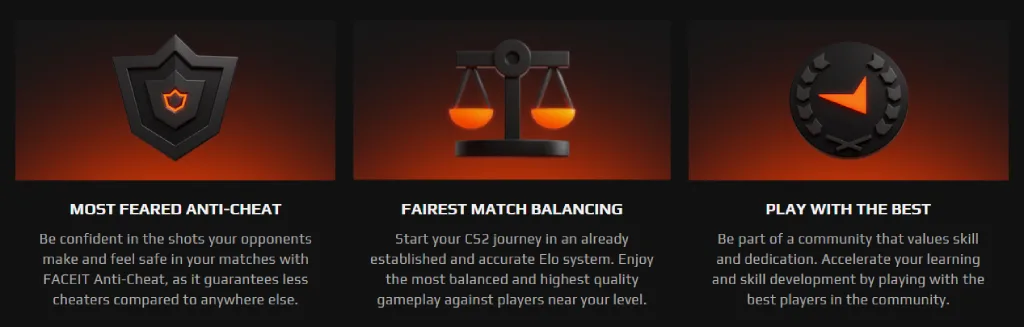
FACEIT is a third-party matchmaking platform for Counter-Strike 2. It operates separately from Valve’s official system. It features its own servers, more advanced and robust anti-cheat, and a completely independent rating system (FACEIT levels). For these reasons, when answering the question of what CS2 FACEIT is, it’s important to understand that it’s not just a website or client, but an entire ecosystem.
The FACEIT platform first appeared back in 2012. Back then, a group of entrepreneurs led by Niccolo Maisto noticed a gap in the lack of a clear path to the competitive esports scene.

Moreover, the very first game on FACEIT was Quake Live. The team launched a small league with prize money (around $125 per tournament) to test the idea of a competitive service with matchmaking and tournaments. This was a sort of product MVP.
Later, in 2012, CS:GO was released, and it quickly became clear that this game was the best fit for the FACEIT model. Since then, Counter-Strike has become FACEIT’s core discipline and has brought it a mass audience.
FACEIT CS2 Requirements Before You Start
Before registering to create an account, it’s important to consider certain FACEIT requirements CS2. There aren’t many, but without a properly configured account and adherence to the platform’s rules, you simply won’t be able to play.
As of 2026, the FACEIT requirements to play CS2 are as follows:
- Public Steam Profile: Often, it’s required that “Game Details” and profile be public for data verification.
- FACEIT Anti-Cheat: Mandatory installation and launch before each game.
- One-Account Rule: Only one FACEIT account is allowed per player, otherwise you risk a ban.
- Account Verification: In some cases (new accounts, suspicious activity), identity or phone number verification may be required.
Fair matchmaking is achieved precisely by meeting each of these requirements. If you consider these requirements acceptable for yourself and are ready to follow them, you can proceed to creating an account and linking your Steam to it. Otherwise, we recommend refraining from attempting to play through CS2 FACEIT.
How to Register and Create a FACEIT CS2 Account
To play through CS2 FACEIT, you’ll need to create an account on the platform. This can be done through any browser. The entire process takes about 3 minutes and consists of 5 steps.
Step 1. Go to the FACEIT Website and Start Registration
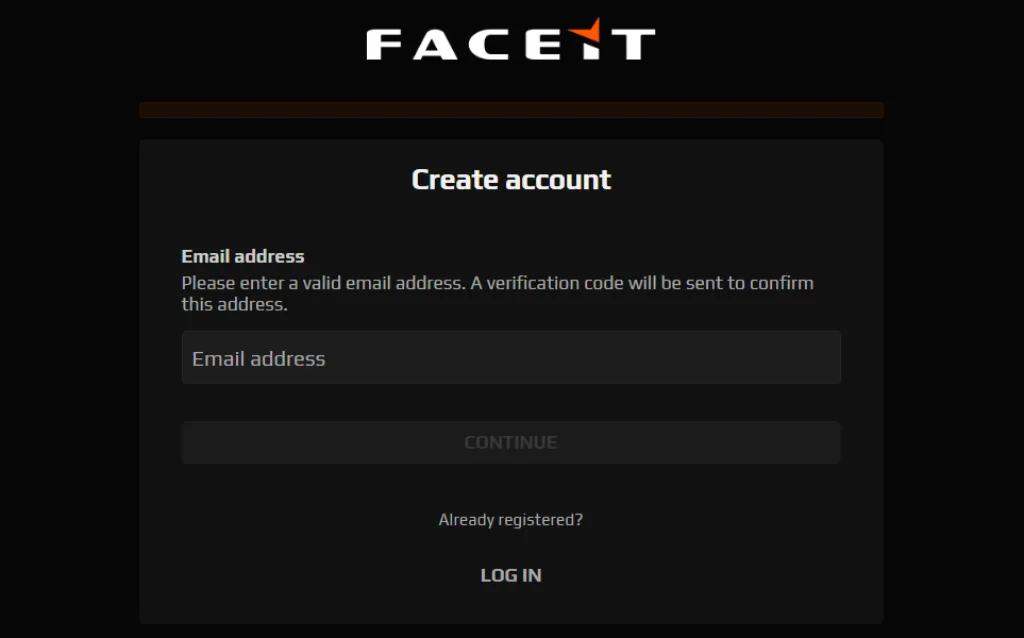
Open the official FACEIT website (faceit.com) and click the orange CREATE ACCOUNT button in the upper right corner. On the first screen of the registration form, you’ll be asked to enter your email address. Then, click Continue.
Step 2. Create and Enter Your Password
On the next screen, you’ll need to set a password for your new account. It must be at least 10 characters. There are no requirements for special characters, numbers, or case sensitivity.
You can also opt-in to receive marketing emails at this stage. After entering your password, click NEXT to proceed.
Step 3. Fill in Your Profile Details
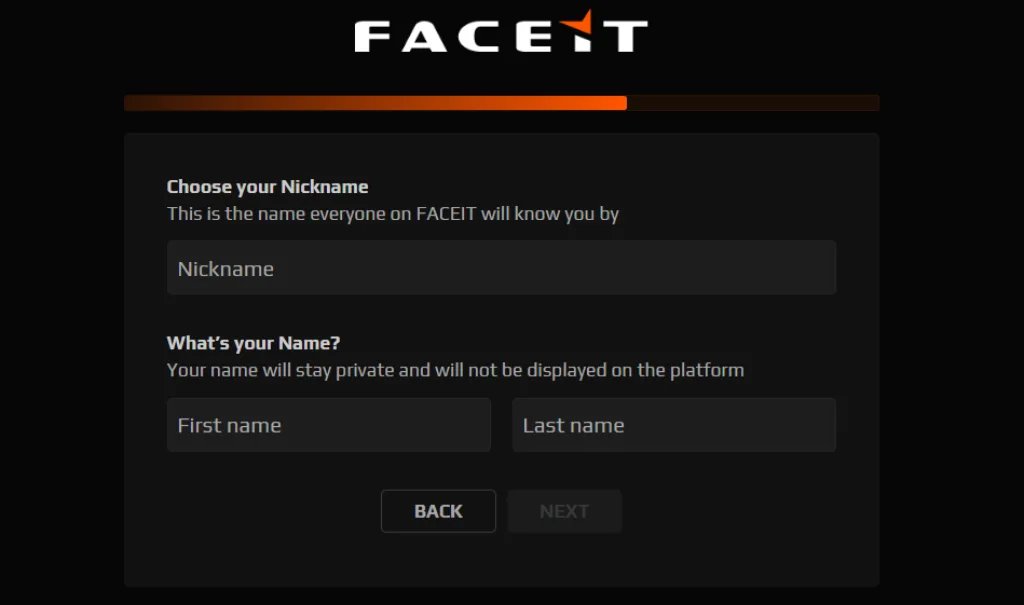
Now FACEIT will ask you to enter your nickname. This may be different from your Steam nickname. This is purely a nickname that will be displayed on the platform.
You will also need to enter your real first and last name at this stage. These will remain private. Once completed, click NEXT.
Step 4. Select Your Region and Date of Birth
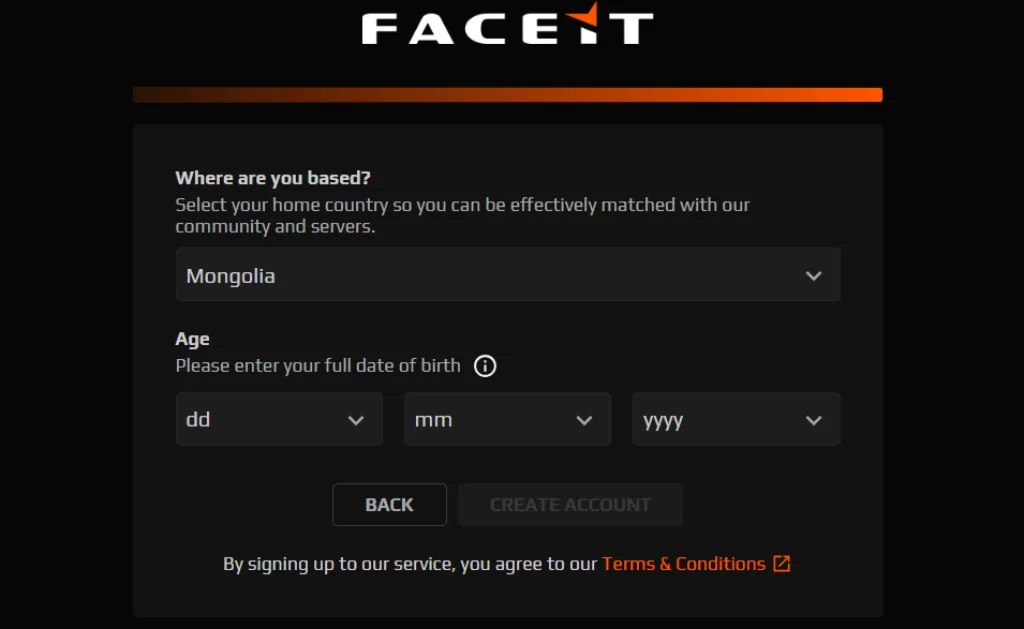
Next, you need to select your country of residence (usually it’s determined automatically, but you can change it) and enter your date of birth. Please note that providing false information about your date of birth may result in immediate account blocking.
Also, at this stage, the FACEIT platform prompts you to review their Terms & Conditions. We recommend doing this because by clicking the CREATE ACCOUNT button you automatically agree to all the rules and conditions, even if you have not read them.
Step 5. Verify Your Email Address
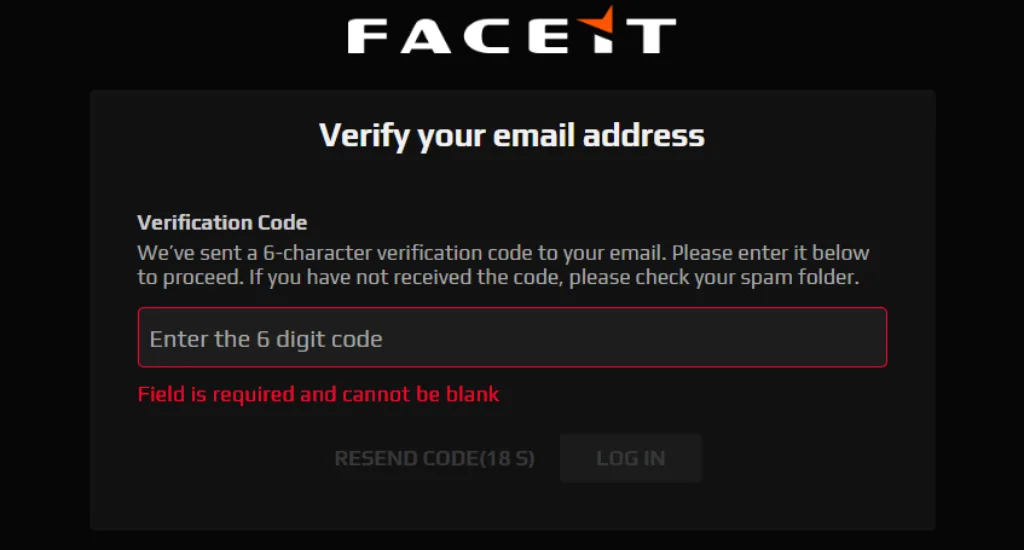
After clicking the button in the previous step, the FACEIT CS2 platform will send a six-digit confirmation code to the email you provided. Enter it in the Verification Code field to complete your registration.
How to Link Your Steam and CS2 Account to FACEIT
After registering, you need to link your Steam account to the FACEIT account you created. You won’t be able to play without this step. The platform uses your Steam account to launch matches, track statistics, and verify your game profile.
Step 1. Open Settings and Add CS2 to Your Account
Log in to your FACEIT account using your email address and password. Next, open your profile settings by clicking the icon on the right. In the settings menu, you’ll see “Games.”
Find Counter-Strike 2 in the list of supported games and click the “Add” button.
Step 2. Link Your Steam Account and Authorize Access
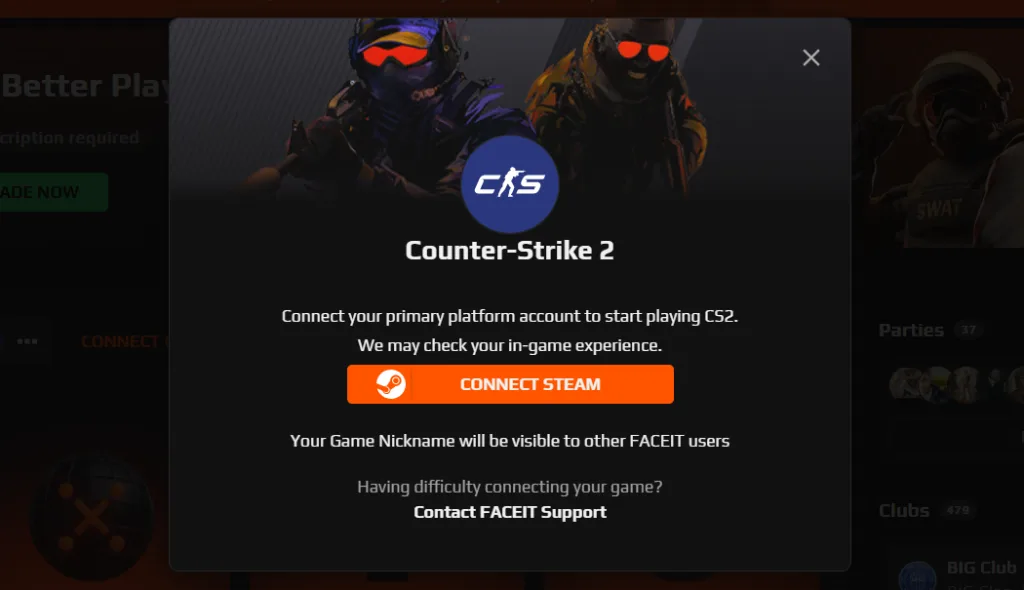
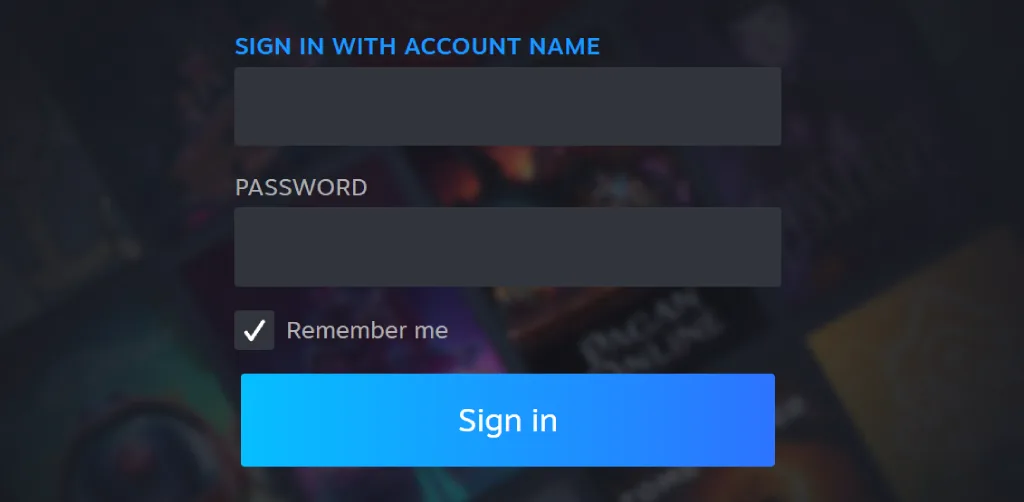
After you select a game, the system will immediately prompt you to link Steam to FACEIT. You’ll be redirected to the Steam page where you’ll need to log in to your account.
If for some reason you ignored the initial Steam link prompt, you can go to the main page where you’ll see CS2 and a “Connect game” button next to it. By clicking it, you can link Steam at any time. This only needs to be done once.
The Steam authorization process itself is completely secure. It’s necessary for the platform to receive the necessary game data, matches, and statistics. Without this step, the connection will not be completed, and you won’t be able to use FACEIT matchmaking.
Step 3. Complete Setup and Check Connection
Immediately after authorization, you will see CS2 in the list of connected FACEIT games. This means the game has been added correctly via Steam, and you can begin searching for matches and starting a game on the platform.
How to Install CS2 FACEIT Anti-Cheat and Pass Verification
Before you even think about your first match, it’s important to know that installing and using FACEIT anti-cheat CS2 is mandatory. Without it, you simply won’t be able to queue for a match.
There are no workarounds, and even if there were, we wouldn’t recommend using them. Doing so will eventually lead to a ban, so it’s impossible to play in 2026 without anti-cheat.
Below, we’ve prepared a step-by-step guide. Take a moment to complete the FACEIT anti-cheat download process without any complications.
Step 1. Download and Install FACEIT Anti-Cheat
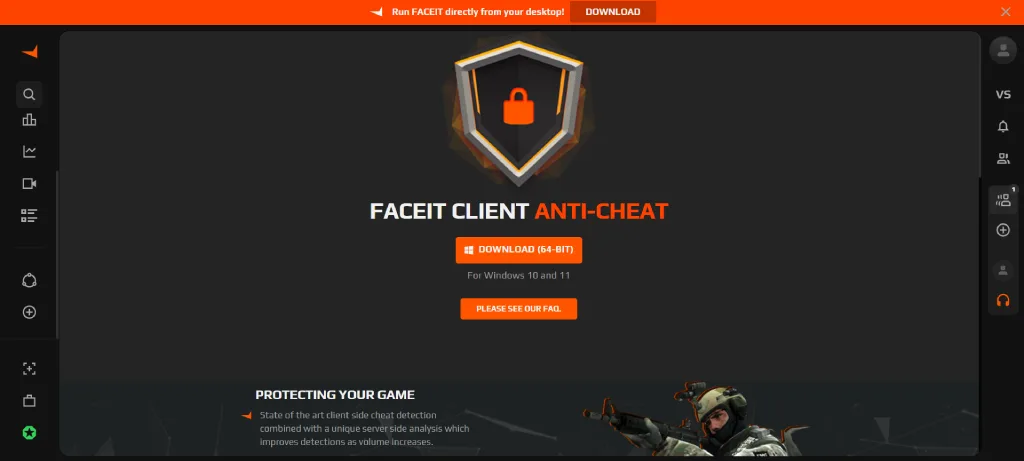
Go to the official FACEIT website or client and click Matchmaking in the main menu. When the page opens, you’ll see a notification saying “Please run Anti-Cheat” and a Download button. Clicking it will begin downloading the .exe file, after which you’ll need to install it like a regular program.
After installation, open the anti-cheat app and log in to your FACEIT account within the app.
Step 2. Launch Anti-Cheat Before Playing
FACEIT anticheat must be running before every match. If it’s not running, you won’t be able to play. To avoid wasting time launching it every time, we recommend leaving it running in the background. This doesn’t affect overall system performance.
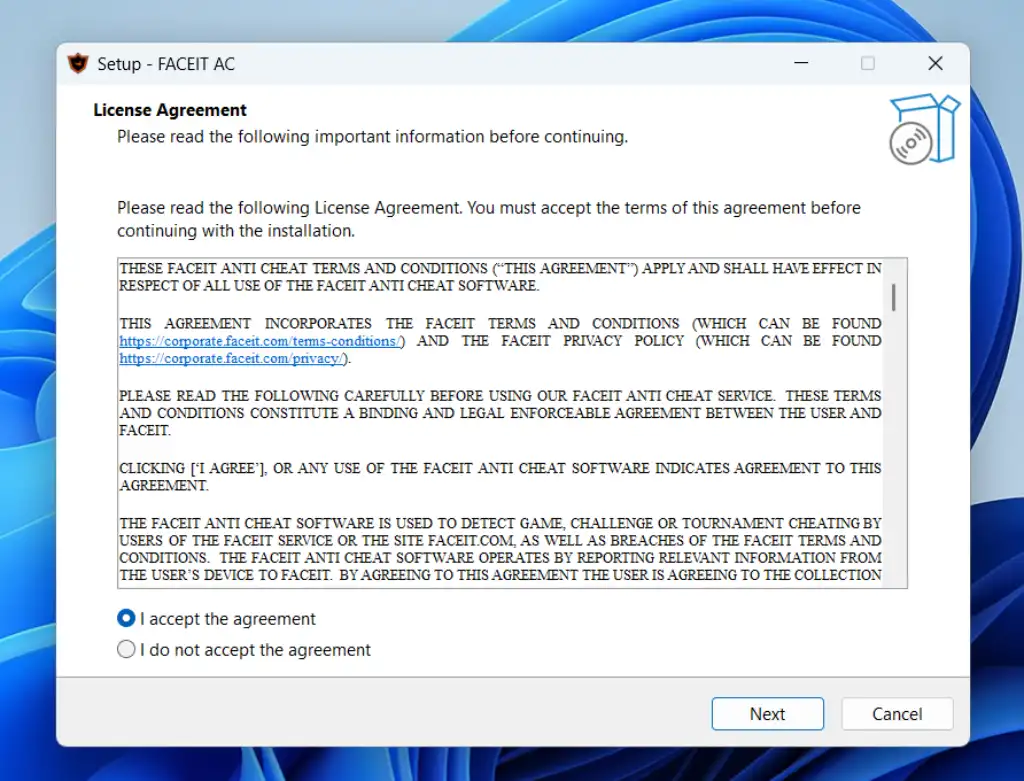
Step 3. Pass Verification (If Required)
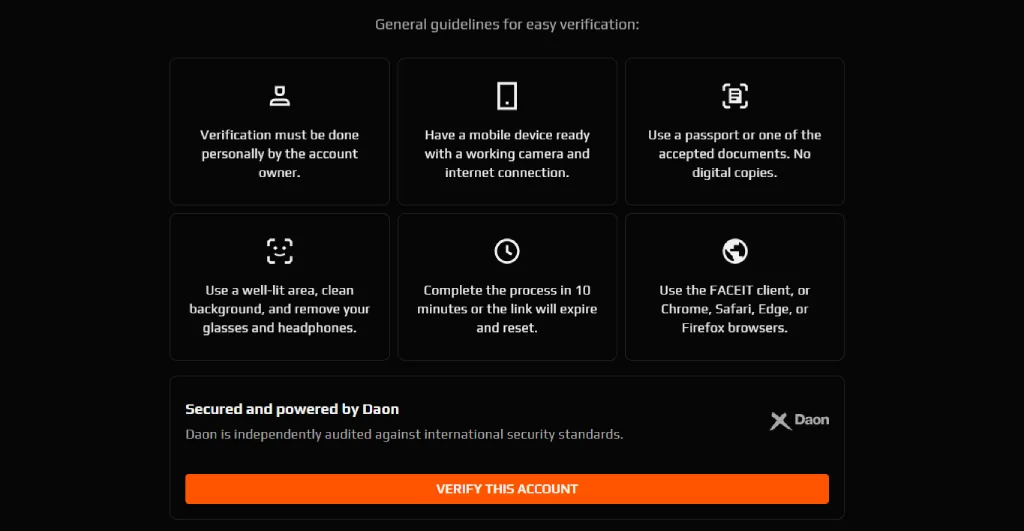
To combat smurfs, cheaters, and fake accounts, the FACEIT verification system was added. It’s not mandatory, but in some cases the platform may request verification. This is a standard procedure for new accounts with suspicious activity.
If the system requests this verification, you’ll need a smartphone. The process involves several sequential steps:
- Scan a QR code to begin the process.
- Take a selfie in real time (with a “liveness” check).
- Scan a document (passport, ID, or driver’s license).
This is a single process, and verification is not possible without a document. The country you selected during registration must match the country of your document. The image must also be clear and well-lit.
Additionally, please note some restrictions:
- One person can only verify one account.
- Data is verified through FACEIT’s partner, Daon. It is actively used in the banking and aviation industries.
- A re-check may be carried out in the future (for example, if there is a suspicion of account transfer).
How to Play Your First FACEIT Match in CS2
After setting up your account, connecting to Steam, and running the anti-cheat, you can play the game. To do this, go to the “Play” tab in the CS2 FACEIT interface (in your browser or client). There, you’ll need to select some game format settings and join the queue. This process is described in more detail below.
How to Queue for a FACEIT Match
The FACEIT CS2 queue process begins with setting up a match search. First, you need to select a mode:
- Solo: Play solo with random teammates.
- Party: Play with friends.
- Team: A full team (useful for tournaments and stacked play).
Next, you need to select maps. Without a subscription, only the standard map pool is available. If you want access to all CS2 maps, you will need to purchase a subscription, the benefits of which we will discuss later.
You also need to select a region and servers. To prevent high ping issues, we recommend choosing servers close to you. This will also help speed up the matchmaking process.
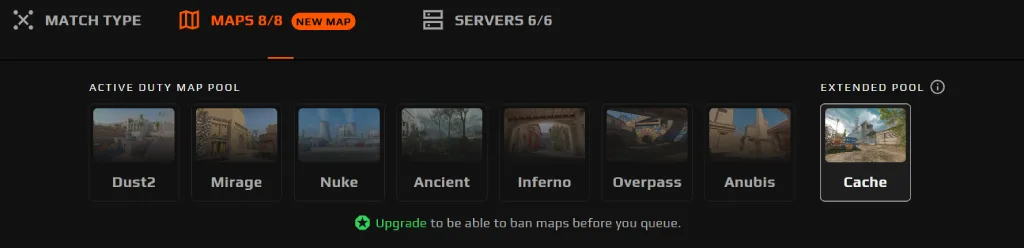
After this, you can confidently click the Play button to begin FACEIT CS2 matchmaking. Matchmaking time can vary greatly depending on the region, time of day, and your level. Once a match is found, you will see a pop-up window where you need to click Accept. If you fail to confirm your participation in time, you will receive a temporary ban from matchmaking.
How the FACEIT Lobby, Map Veto, and Match Start Work
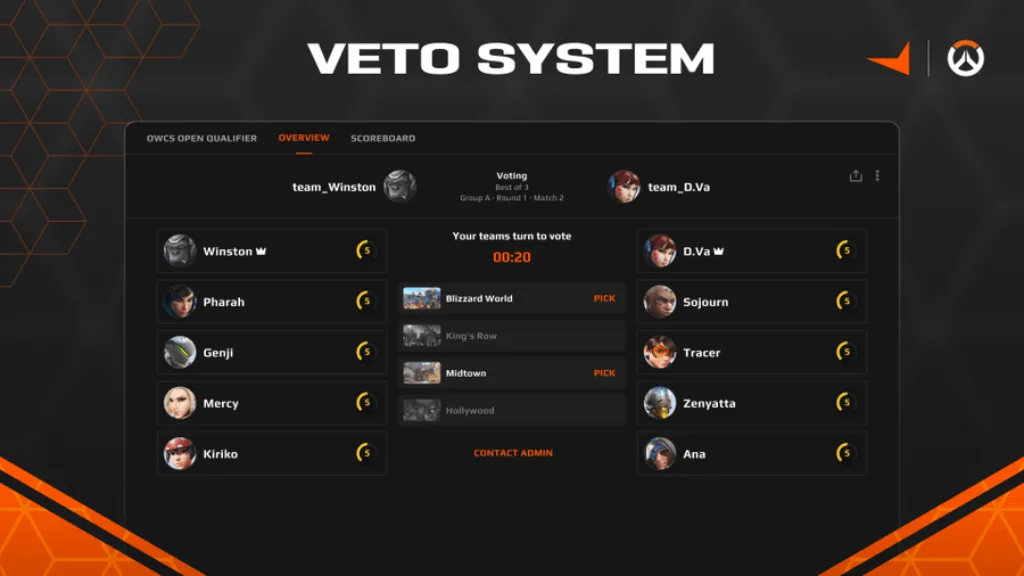
After all 10 players have clicked Accept, the matchroom (lobby) opens. Here, team captains are first selected. If a team has players with a FACEIT Plus or Premium subscription, a captain is chosen from among them. If there are no such players, a captain is appointed randomly from all participants.
Next, something similar to the familiar CS2 map veto begins. The captains:
- Take turns excluding servers (to select the best ping and region).
- Then use the same system to ban maps.
By the end, one map and one server must remain. These will be the ones used in the current match. To join this server, you can use the Connect button or connect manually via IP. Each player will have only three minutes to do this.
Next, an additional stage appears – a knife round (5v5). The winning team gets to choose a side. To do this, their captain must enter one of two commands in the chat:
- !stay – stay on the current side.
- !switch – switch sides.
For tournament matches, you must also enter the !ready command. This confirms the teams’ readiness.
FACEIT Premium vs Plus vs Free — What’s the Difference?
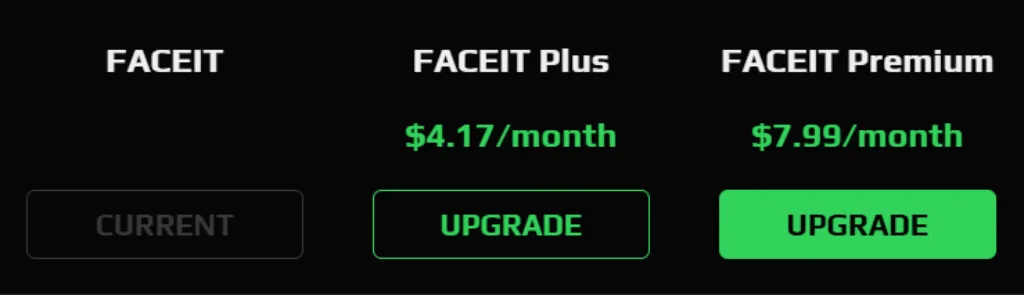
In 2026, FACEIT offers three access levels: Free, FACEIT Plus ($4.17/month billed annually) and FACEIT Premium ($7.99/month billed annually). All three allow you to play CS2, but the difference in the level of control over the game can be significant.
A free account provides basic access to matchmaking and the FACEIT ELO system. It does not offer tools for filtering players or setting up matches.
FACEIT Plus and FACEIT Premium, on the other hand, allow you to select maps, avoid unwanted players, and gain captain priority. The table below shows the differences between each of the three options in more detail:
| Feature | Free | FACEIT Plus | FACEIT Premium |
|---|---|---|---|
| Free matchmaking | Standard matchmaking with no filters | Same matchmaking + improved filtering options | Same + priority conditions for higher-quality matches |
| ELO ranking system | Full access to FACEIT ranking (Level 1–10) | Same | Same |
| Premium Match queue | Not available | Access to higher-quality solo/duo queue | Full access with best matchmaking conditions |
| Verified-only lobbies | Not available | Play only with verified players | Same (more stable pool) |
| Veteran-only lobbies | Not available | Matches only with experienced accounts | Same |
| Map selection | Random map pool | Choose preferred maps (map veto control) | Same (full control) |
| Matchmaking block | No control over players | Block up to 3 players | Block up to 5 players |
| Captain priority | Random captain selection | Increased chance to be captain | Highest priority (more control over veto) |
| Premium missions | Not available | Not available | Missions with FACEIT Points and skin rewards |
| Premium ladders | Not available | Not available | Weekly ladders with rewards |
| Match highlights | Not available | Not available | Auto-recorded highlights and clips |
| Avatar GIF | Not available | Not available | Animated profile avatar support |
| Monthly ladders | Not available | Access to basic ladders | Full ladder access with rewards |
| Ad-free experience | Ads enabled | No ads | No ads |
| Nickname change | Paid only | Paid only | Free nickname change every 3 months |
| Premium support | Standard support queue | Standard support | Priority customer support |
FACEIT Super Match and Extra Features Explained
The FACEIT platform is known for more than just its excellent anti-cheat software. It also offers many other tools and features that improve gameplay.
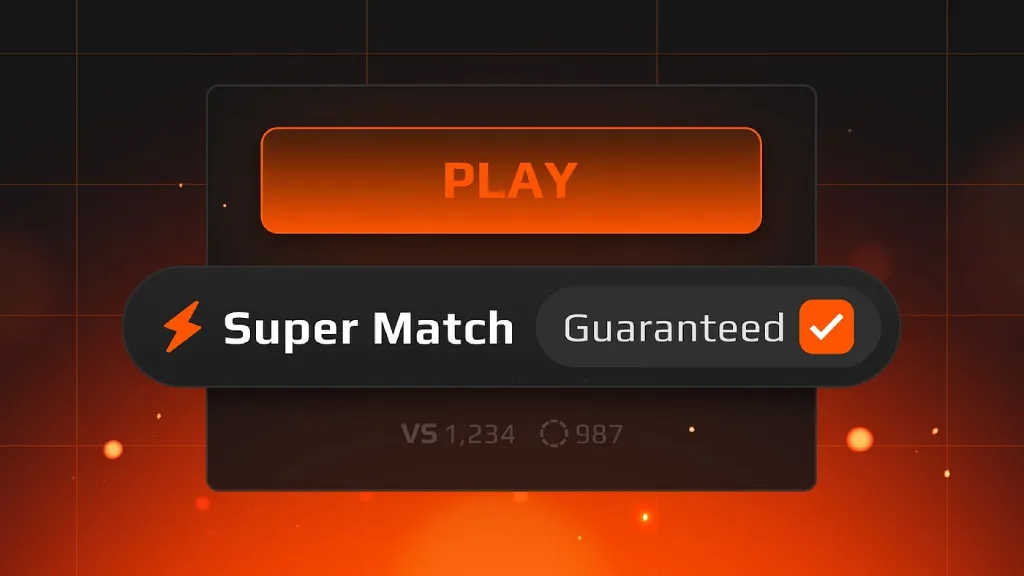
First and foremost, we’d like to highlight the FACEIT Super Match CS2 mode. This is an even more advanced version of matchmaking, which imposes very strict matchmaking rules to eliminate imbalances:
- The difference in ELO ratings typically does not exceed 300 points.
- Solo players almost never get into matches against full teams.
- Priority is always given to verified accounts.
This reduces the influence of random factors and encourages skill development. The mode works very well, and those who use it rarely switch back to regular competitive or Premier CS2 game modes.
Many players also love FACEIT for its built-in analysis tools. One of the key ones is FACEIT Tracker CS2. It collects and visualizes player statistics, allowing you to track the following metrics:
- ELO and win rate dynamics.
- Performance on different maps.
- Individual metrics (K/D, ADR, clutch, entry, etc.).
- Match history with a detailed breakdown.
Additionally, FACEIT demos CS2 are available. Each game is recorded as a demo, which can be downloaded and replayed. This is useful for:
- Analyzing mistakes and positioning.
- Studying opponent behavior.
- Reviewing key rounds and decisions.
Is FACEIT Worth It for New Players?
FACEIT is accessible to players of all skill levels, but not everyone should switch to it. Initially, the platform was created as a more competitive alternative to matchmaking. Therefore, it’s better suited for those who:
- Are tired of unstable matchmaking in CS2 (cheaters, poor balance, lack of communication).
- Want a more serious and structured competitive experience.
- Aim to improve faster by playing against stronger opponents.
For absolute beginners, the platform is far from ideal. It may seem overly complex. Moreover, even at lower levels, experienced players often play, and the skill gap will be more noticeable than with regular matchmaking.
Therefore, we recommend mastering the basics in regular CS2 first. Play at least 100 hours to understand the economy, positions on different maps, and the basic mechanics. Only then should you switch to FACEIT CS2 to progress faster.
Pros and Cons of FACEIT CS2
Nothing is perfect, and FACEIT is no exception. Valve’s classic competitive mode is still relevant, and many players are reluctant to switch to FACEIT.
This is because each of these systems serves its own purpose. Standard matchmaking is convenient and simple. Launch the game, and you’re playing in competitive mode within a minute. No additional registration, anti-cheat installation, or anything else is required.
FACEIT is more complex. You’ll first need to spend about half an hour registering, downloading the anti-cheat software, and navigating all the website’s menus. To fully weigh the pros and cons, take a look at these two lists:
-
Strong anti-cheat system compared to standard CS2 matchmaking.
-
Higher level of competition and more serious players.
-
128-tick servers for smoother and more accurate gameplay.
-
Transparent ELO ranking system (Level 1–10).
-
Access to tournaments, ladders, and competitive events.
-
Better match quality with features like Super Match and verified queues.
-
Advanced stats, demos, and performance tracking tools.
-
Requires additional setup (client, anti-cheat, account linking).
-
Solo queue can be toxic and inconsistent.
-
Many features locked behind Premium / Plus subscriptions.
-
Longer queue times in some regions or modes.
FAQ
FACEIT is a third-party competitive platform for CS2. It features its own matchmaking, 128-tick servers, stricter anti-cheat, and an ELO-based ranking system. Opponents are matched based on skill level, rather than the standard MM.
RWS (Round Win Share) is a metric that shows a player’s contribution to winning rounds. It is calculated based on damage, kills, and impact on the round’s outcome. Unlike K/D, this metric evaluates effectiveness, not just frags.
KAST is the percentage of rounds in which a player scored a Kill, provided an Assist, Survived until the end of the round, or was useful via Trade. High values usually indicate that the player is truly valuable to the team. This is not just a measure of frags, but the player’s actual participation in rounds.
For 2026, FACEIT offers several subscription plans. FACEIT Plus costs $4.17 per month with an annual subscription, or $6.99 per month on a monthly basis. FACEIT Premium is more expensive, starting at $7.99 per month with an annual subscription, or $10.99 per month on a monthly basis. Free access still remains, but most functions are limited.
FACEIT Premium is a paid subscription that provides full access to all platform features. This includes the Premium Match queue, Captain Priority, additional ban slots, reward missions, and much more. The full list of features for this and other subscriptions can be found on the official FACEIT website.
After the match, the demo is automatically saved to Matchroom. You need to open the match in your profile and click “Watch Demo” or download the file.
Verification is performed through the FACEIT ID system. First, go to your account settings and find the “Verification” section. The system will then prompt you to scan a QR code with your smartphone, take a selfie in real time, and upload a photo of your identification document.
By 2026, FACEIT already had over 34 million registered players. This is a huge number, especially considering that hundreds of thousands of people access the platform every day. Most of the platform’s online traffic comes from Europe and North America.
The FACEIT anti-cheat is significantly stricter than VAC. It operates at the system level and requires constant execution before a match. For this reason, the number of cheaters on this platform is much lower; however, they can still be encountered.
Prime status is not required to play through FACEIT. All you need is a Steam account with CS2 linked to the gaming platform. A dedicated access system is used to provide high-quality matchmaking with teammates and opponents.
Read also: