mn
mn  ru
ru 
CS2 StatTrak Guide: Counter, Reset & Value
Have you ever wanted to know how many kills you’ve got with a particular weapon in CS2? It’s entirely possible, thanks to the game’s StatTrak CS2 system.
However, it’s surrounded by a ton of myths and questions. Not everyone knows what exactly counts, when the counter resets, and whether kills can be transferred to another skin. In this MelBet Pick’em guide, we’ll take a detailed look at how StatTrak works in CS2 and whether it’s worth paying extra for skins with a counter!
What is StatTrak in CS2?
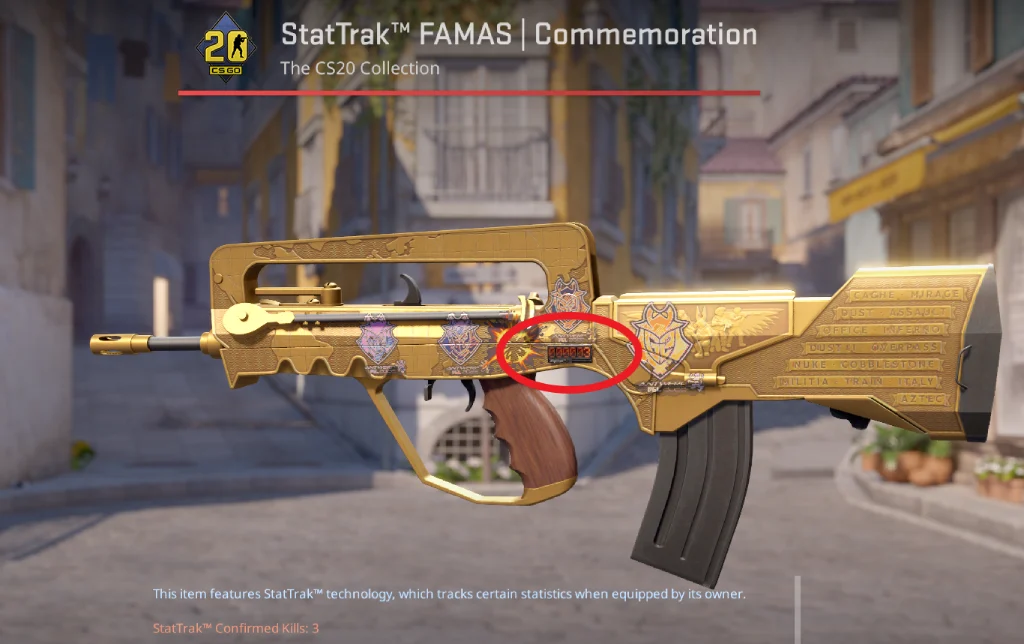
StatTrak in CS2 is a special counter that displays your frag count directly on your skin. This counter is tied to the skin, meaning it’s a special version of the skin with a counter. Accordingly, statistics are formatted and stored at the item level.
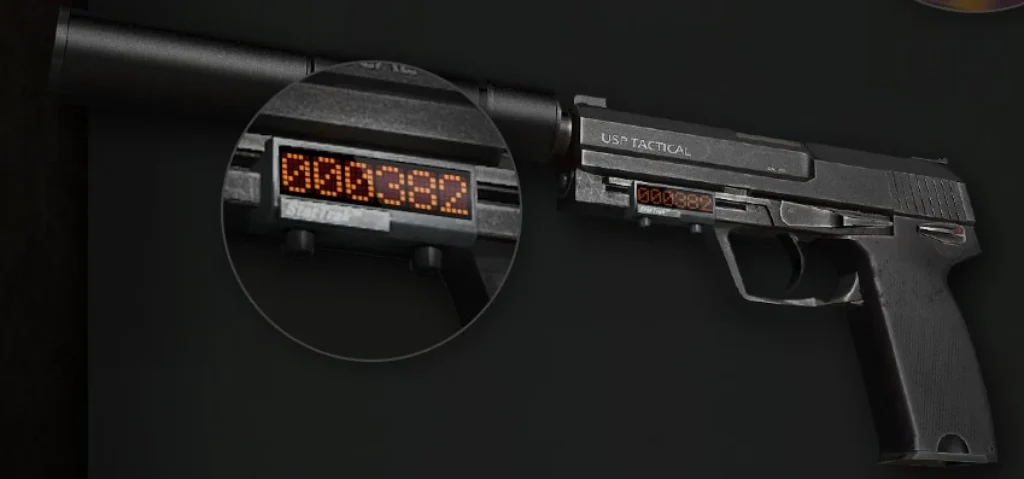
Visually, these items with a counter are easy to identify. In the inventory and on the marketplace, they have an orange CS2 StatTrak™ mark. In the game itself, the counter is displayed directly on the weapon model. For firearms, this is a digital LED display with a six-digit indicator, while StatTrak knife CS2 skins have the kill count engraved on the blade.
In addition to guns and knives, there are also StatTrak versions of CS2 Music Kits, which track the number of MVPs earned. Gloves and standard (vanilla) weapon versions do not support this feature.
StatTrak CS2: What Counts (and What Doesn’t)?
Not every kill counts in StatTrak statistics. It all depends on the mode you’re playing, as well as other, less obvious factors. To clear up any confusion, we’ve detailed all the situations when the kill counter is counted and when it isn’t.
Kills That Count
Kills made by the item’s owner (this is a very important detail) count in official CS2 modes, including:
- Competitive
- Premier
- Casual
- Deathmatch
- Other official matchmaking modes supported by Valve
So, the most important requirement when it comes to all CS2 game modes supported by StatTrak is that the match must be played on official infrastructure. Additionally, active server-side statistics validation must be enabled for the kill to be properly registered.
Kills That Don’t Count
There are certain types of kills that won’t affect your StatTrak CS2 score:
- Kills in local matches without server validation.
- Situations where a weapon is used by someone other than its owner.
- Modes or servers where StatTrak tracking is disabled on the server side.
- Frags against bots (including offline practice and training modes).
It’s this last point about bot kills that often causes confusion. Many people thought they could farm a large number of kills on CS2 StatTrak skins by killing bots, but unfortunately, this doesn’t work. Even with a visual counter display, progress isn’t recorded if the scoring conditions aren’t met.
How to Get StatTrak in CS2
Can’t wait to start racking up kills on your StatTrak counter? Then you’ll definitely want to know how to get StatTrak CS2 skins. We’ve outlined the most popular methods below.
Opening Cases
The most common way to get StatTrak skins is through CS2 case opening. There’s nothing complicated about it. Buy or receive any case from the CS2 weekly drop pool, buy a key for it, and open it.
However, keep in mind that according to the official distribution mechanics, the probability of receiving a StatTrak version of all cases dropped is approximately 10%. In other words, on average, only one in ten items received will have StatTrak status. If you don’t like relying on luck, this method is clearly not the best for you.
Steam Community Market
The fastest and most predictable option is to simply buy a StatTrak skin through the Steam Community Market. This method is considered the most secure in terms of transaction transparency and price control.
However, keep in mind that CS2 StatTrak versions are generally more expensive than standard versions. They are always in demand, and due to their lower drop rate, they are considered rarer.
Trade-Ups
StatTrak items can also be obtained through a CS2 Trade Up contract. However, this is not a viable option if you don’t have other StatTrak skins CS2 in your inventory. This is due to the following conditions:
- The contract must use only StatTrak items.
- Standard and StatTrak items cannot be mixed.
Also, keep in mind that this method is only recommended for those who know how to calculate the expected value of trade-ups. This is because it may turn out that you will exchange 10 expensive skins for one that is better in class but worse in price. Also, don’t forget that in the case of Cover skins for Knife Trade Up CS2, you only need 5 skins, not 10.
Does StatTrak Reset?
The CS2 StatTrak counter is tied to a specific skin and its current owner. This means that if you purchase a skin with this counter or trade it in, counter will be at 0.
However, even if you own such a skin, you can reset the counter on a StatTrak CS2 weapon if you wish. To do this, simply list the skin for sale on the Steam Community Market. When you list the skin, the system initiates the ownership status change process. This resets the counter even if the sale fails.
However, be sure to set a significantly inflated price. Otherwise, you risk accidentally selling it. But keep in mind that even setting an inflated price does not guarantee absolute protection.
Why Does StatTrak Say “ERROR”?
Have you ever seen “ERROR” on a CS2 StatTrak display while inspecting someone else’s cool skin in a match? This isn’t a technical glitch or a display bug. It’s a system-wide stat protection mechanism. It appears when your current weapon usage doesn’t meet the conditions under which the counter records progress.
The main reason for this is that you’re not the current owner of the StatTrak skin. In this case, kills will not be added to the displayed value.
Additionally, the display may alternate between “ERROR” and “UNKNWN USER” (short for Unknown User). This indicates that the current user isn’t recognized by the system as the legitimate owner of the item.
How to Transfer Kills (StatTrak Swap Tool)
Let’s imagine a situation: you have an old StatTrak skin with a high kill rate. You’re tired of it and want to buy a different skin for the same item while keeping the kill rate.
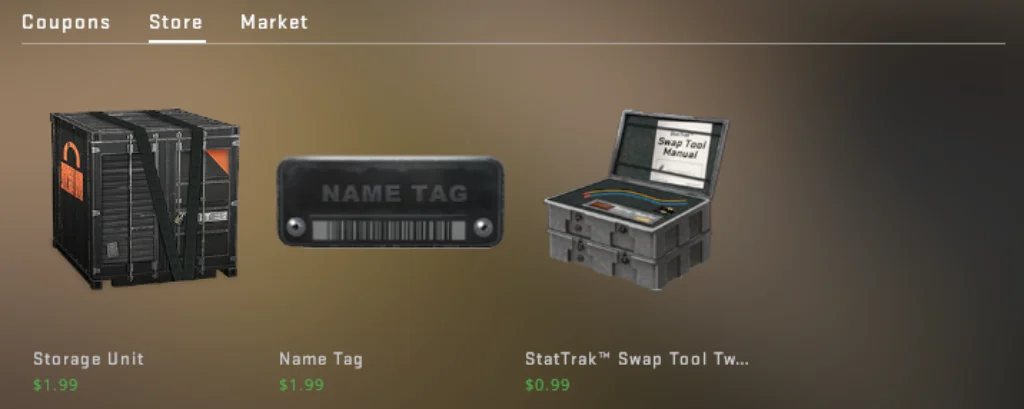
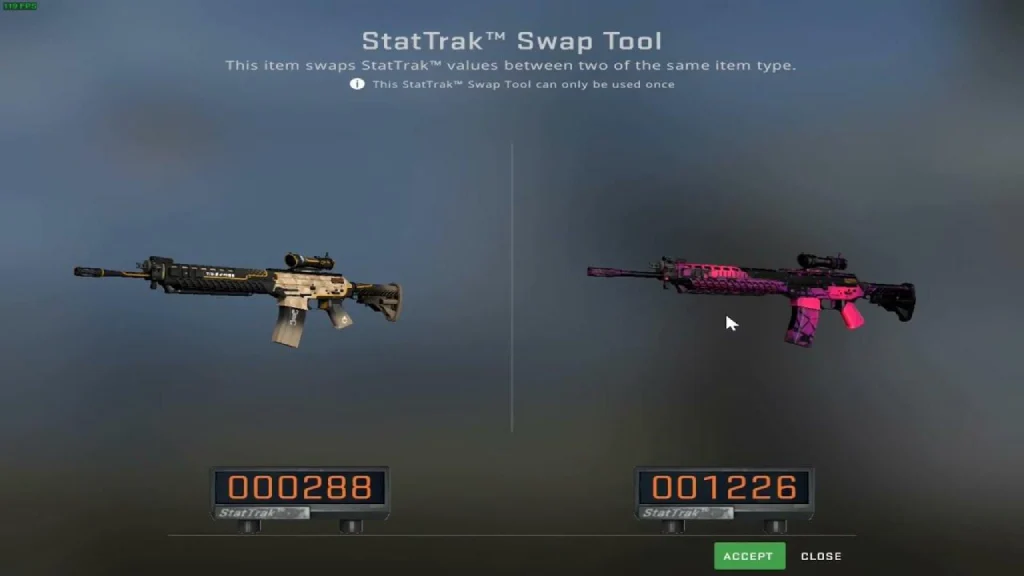
The CS2 StatTrak Swap Tool was added to the game for exactly these situations. It’s an official Valve utility designed for transferring the accumulated StatTrak counter from one item to another. Essentially, the tool doesn’t “merge” stats or add new kills; it simply transfers the selected counter to another item. The original item remains without the transferred value after the process.
Requirements / Limitations
In theory, it all sounds very simple. But to ensure a smooth transfer with the StatTrak Swap Tool CS2, keep the following rules and nuances in mind:
- Both items must be StatTrak: You cannot transfer the counter to a regular version of a skin without StatTrak. The status is not added “on top” of the item.
- Weapon type compatibility is strictly limited: Transfers can only be made between items of the same weapon category/model. That is, two AK-47s, two M4A4s, two Desert Eagles, etc.
- The tool is single-use: Once used, the Swap Tool is consumed and cannot be reused.
- Transfers only apply to the counter: StatTrak does not change the wear, CS2 float, or other parameters of the item. They remain the same for each skin.
Step-By-Step: Transfer Stattrak Kills
If the rules don’t bother you, you can proceed with transferring CS2 StatTrak kills. To do this, follow this guide:
- Make sure the items are compatible: both skins must be StatTrak and belong to the same weapon.
- Open your CS2 inventory and find the StatTrak Swap Tool (available for purchase in the CS2 store).
- Activate the Swap Tool.
- Select “Source” – the StatTrak skin from which the counter is being transferred (the one with accumulated kills).
- Select “Destination” – the StatTrak skin of the same weapon to which you want to transfer the value.
- Review your selection (especially the source/destination) and confirm the operation.
StatTrak Music Kits (MVP Counter)
In addition to weapons and knives, the StatTrak CS2 system also applies to Music Kits. However, in this case, instead of the number of kills, the player’s MVP rewards are recorded.
- Only validated MVPs earned by the owner of the kit are counted.
- Tracking is performed exclusively during active use of the Music Kit.
- Statistics, as with weapons, are tied to a specific item.
There is also an important distinction regarding the StatTrak Music Kit counter display. It is not displayed on the HUD or accompanied by visual elements during gameplay. Therefore, the current MVP count can be seen:
- In the Steam inventory.
- When inspecting an item in the CS2 client.
Max Counter: What Happens at 999,999 Kills?
If you look closely at the StatTrak CS2 counter, you might notice that it uses a six-digit digital display. Therefore, it’s logical that something should happen after 999,999 kills.
Well, experienced players have already tested this in practice. After the counter reaches this threshold of 1,000,000 kills, a visual reset occurs. The indicator on the weapon skin model itself returns to 000000.
However, the statistics don’t actually reset. Even after the StatTrak CS2 display has been visually reset, the current total is still available:
- In the Steam inventory;
- When inspecting an item in the CS2 client;
- In the item card on the marketplace.

StatTrak vs Non-StatTrak CS2 Skins
Still unsure whether it’s worth the 20-40% premium for StatTrak skins? We’ve prepared a brief comparison chart. It covers all the nuances of choosing StatTrak CS2 skins:
| Parameter | StatTrak | Non-StatTrak |
|---|---|---|
| Kill Counter | Yes (built-in LED display or engraved count) | No |
| Kill Tracking | Tracks confirmed kills for the owner | No tracking |
| Drop Rate | Lower (approximately ~10% of case drops) | More common |
| Average Market Price | Typically sells at a premium | Usually priced lower |
| Stat Transfer | Possible via StatTrak Swap Tool | Not possible |
Final Thoughts on CS2 StatTrak
Of course, StatTrak skins CS2 are very cool and clearly more interesting than the usual ones. While the counter doesn’t provide any advantages, it’s still pretty cool to know how many kills you’ve made with a particular weapon. Some players play with the same StatTrak skin for years and boast huge kill counts.
If you’re someone who likes to accumulate stats and enjoy playing with the same skin for years, these more expensive skins are definitely for you. Otherwise, we think the standard version remains a more reasonable choice. However, the choice is always yours!
FAQ
No, this is not possible in 2026. StatTrak status is assigned to an item only when it is generated by the system. The only option is to purchase a similar skin with StatTrak status.
No. Bot kills and frags in offline modes do not count towards your stats. Accounting is carried out only with correct server validation in supported modes (Competitive, Premier, Casual, Deathmatch and other official matchmaking modes).
Yes, CS2 knife StatTrak skins exist. The only difference is that instead of an LED display, the kill count is engraved on the blade. The tracking mechanics are identical to firearms.
It’s no longer possible to manipulate the StatTrak counter to achieve a higher value in 2026. Playing on the previously popular CS2 StatTrak farm servers no longer increases the kill count. Only the familiar gameplay on official servers remains, where the statistics reflect actual game progress.
Read also: