mn
mn  ru
ru 
Dota 2 System Requirements 2026 — Minimum & Recommended Specs
Dota 2 has been a central part of global esports for over 12 years. This Valve title remains one of the most popular games on Steam, with millions of players worldwide logging in daily.
Despite its age, Dota 2 regularly receives technical updates, graphics improvements, and engine optimizations. All of this impacts the minimum and recommended system requirements Dota 2. In this article for MelBet Pick’em, we’ll take a detailed look at the current Dota 2 system requirements 2026. We’ll detail all the Dota 2 PC requirements for comfortable gaming and explain how to determine if your PC or laptop can handle Dota 2 at the required level!
What Are the Dota 2 System Requirements?
Dota 2 system requirements are a set of device specifications. They determine whether your computer or laptop can run the game smoothly and at what graphics settings. Essentially, the Dota 2 system requirements 2026 list contains the minimum and recommended parameters for the processor, graphics card, RAM, OS version, and storage type. All these characteristics affect game stability and how you see all visual effects, animations, and more.
It’s interesting to note that each game has its own unique hardware requirements. This is because the game’s graphics engine, the amount of content, the number of visual effects, and the complexity of 3D models directly impact the load on the CPU and GPU. It’s also worth considering that Dota system requirements may change with significant updates. Developers may add more detailed hero models or make significant changes to the game engine. All of this can impact performance, and therefore, the system requirements may be revised.

Dota 2 Minimum System Requirements 2026
The minimum system requirements for Dota 2 are provided directly by the developer. They have changed very little since the game’s release. However, the reason is not that the game is very well optimized. In discussions on various forums, players complain that the Dota minimum requirements 2026 don’t reflect reality.
If you attempt to run the game on a dual-core processor (which is what the minimum system requirements specify), it will be completely unplayable. We recommend taking this into account. Below, we’ve compiled the official Dota 2 minimum system requirements 2026 for various operating systems.
Dota 2 Minimum Specs for Windows
- OS: Windows 7 or newer.
- Processor: Dual-core Intel or AMD @ 2.8 GHz.
- Memory: 4 GB RAM.
- Graphics: NVIDIA GeForce 8600/9600GT, ATI/AMD Radeon HD 2600/3600.
- DirectX: Version 11.
- Network: Broadband Internet connection.
- Storage: 60 GB available space.
- Sound Card: DirectX Compatible.
Most Dota 2 players, of course, play on Windows devices. However, keep in mind that the game’s developers list Windows 7 and above in their system requirements. Meanwhile, Steam, where Dota 2 can be downloaded (the game is distributed exclusively through this platform), only supports Windows 10+ as of January 1, 2024.
This is at least one discrepancy with reality. As for other Dota 2 minimum requirements for CPU, GPU and RAM, they are also very low. In reality, playing the game in 2026 with such PC specifications will be very difficult.

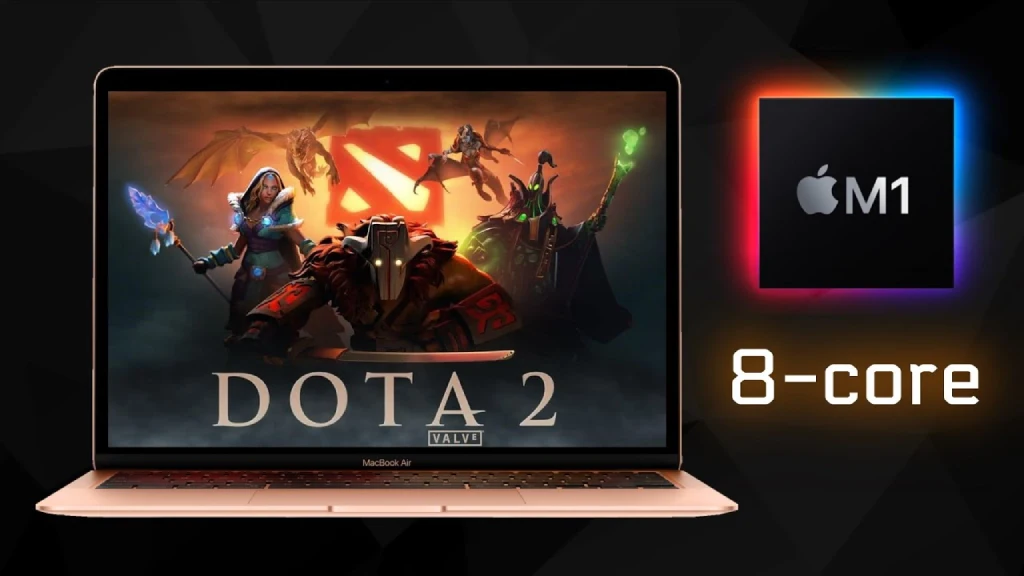
Dota 2 Minimum Requirements for macOS
- OS: macOS 10.15 or newer.
- Processor: Dual-core Intel.
- Memory: 4 GB RAM.
- Graphics: Metal-capable GPU (AMD GCN+, NVIDIA Kepler+, Intel HD 4000+).
- Network: Broadband Internet connection.
- Storage: 60 GB available space.
The minimum system requirements for Dota 2 on macOS aren’t much different from those on Windows. However, the problem remains that they don’t quite reflect reality.
Also, as an educational piece of information, we note an interesting fact: Steam users from devices with MacOS make up only just over 2%.
Dota 2 Minimum Specs for Linux & SteamOS
- OS: Ubuntu 12.04 or newer / SteamOS.
- Processor: Dual-core Intel or AMD @ 2.8 GHz.
- Memory: 4 GB RAM.
- Graphics: AMD GCN+, NVIDIA Kepler+, Intel HD 5000+ (Vulkan-ready).
- Network: Broadband Internet connection.
- Storage: 60 GB available space.
- Sound Card: OpenAL Compatible.
The minimum requirements for Dota 2 on Linux and SteamOS are also very low. Meanwhile, the share of Steam users from devices running Linux OS at the beginning of 2026 is just over 3%.
Recommended System Requirements for Dota 2
Valve doesn’t provide official Dota 2 recommended requirements. However, based on discussions on various forums and CPU and GPU benchmarks on YouTube, users have compiled unofficial recommended system requirements. Unlike the minimum requirements, these reflect real-world situations, and with a similar PC, you’ll definitely be able to play Dota 2 without FPS drops, lag, or other issues.
Recommended Specs for Smooth Gameplay
- OS: Windows 10 / 11 (64-bit).
- CPU: Intel Core i3-10100 / AMD Ryzen 3 3100.
- RAM: 16 GB.
- GPU: NVIDIA GTX 1650 Super / AMD Radeon RX 6500 XT.
- Storage: 60 GB (SSD strongly recommended).
- Network: Stable broadband connection.
Source 2 remains a CPU-centric engine, especially with a large number of heroes, creeps, and effects in the frame. However, even 5-year-old budget processors can easily handle the game at a stable 60+ FPS in skirmishes. As for the graphics card, it all depends on the settings. A GPU like the 1650 Super or RX 6500 XT is generally sufficient for medium-high settings.
16 GB of RAM is a moot point. The game runs fine with 8 GB, but Windows system processes and background programs can cause microlags. Having more RAM and installing the game on an SSD can avoid such issues.
Recommended Requirements for Competitive Play (144–240 FPS)
- CPU: Intel Core i5-12600KF / AMD Ryzen 5 7600.
- RAM: 16-32 GB DDR4/DDR5.
- GPU: NVIDIA RTX 3060 / AMD Radeon RX 7600.
- Storage: 60 GB NVMe SSD (Gen 3/4).
- Network: Stable broadband connection.
- Monitor: 144-240 Hz.
Since Dota 2 is a MOBA (we recommend reading the article about the history of Dota 2 to understand the basics) and not a shooter like CS2, the game doesn’t require extremely high FPS. A stable 100-140 FPS is sufficient for comfortable play, as precise controls and animation clarity are key in Dota 2.
Processors like the i5-12600KF/Ryzen 5 7600 provide the single-threaded performance needed to support 160-250 FPS on high presets in Source 2. As for graphics cards, the RTX 3060/RX 7600 are more than enough to deliver 144+ FPS in Full HD on Ultra settings, even in the most intense battles.
How to Check If Your PC Can Run Dota 2
Dota 2 system requirements can be confusing for inexperienced gamers. To help you accurately determine whether your PC or laptop is suitable for playing Dota comfortably, we’ve prepared a step-by-step guide. It’s based on the Dota 2 recommended system requirements, as the minimum ones don’t reflect the real situation as of 2026.
With this guide, even a beginner can compare their device’s specifications with the Dota 2 requirements:
- Find out the exact specifications of your PC: open System Information and note the CPU, GPU, RAM, and storage type. You can also do this using third-party programs, such as AIDA64.
- Determine if your processor is suitable: Dota 2 is a CPU-heavy game. To check if your processor can handle the game with stable FPS, we recommend Googling “i3-10100 vs your processor.” This will take you to comparison sites where you can see whether your processor is worse or better than the recommended one. If it’s better, there will definitely be no problems.
- Compare your graphics card: The game isn’t very GPU-demanding, but you shouldn’t overlook this point. Same here: Google “GTX 1650 Super vs your graphics card.” But keep in mind that even if your graphics card is 50% or worse, don’t be upset. You can still play Dota 2 with low settings.
- Check your RAM: Unofficial recommended Dota 2 requirements say at least 8GB of RAM. However, many recommend 16GB, as 8GB may not be enough if you’re using Discord in the background and a couple of browser tabs.
- Check your disk space: The game needs to be installed somewhere. If there’s no disk space, you won’t even be able to launch it. To check, open Devices and Drives and see how much free space is on your drives. You should have at least 60GB available. It’s also recommended to install the game on an SSD.
- Download and launch the game: If there are no problems with all the previous points, start installing the game. After installation, try setting the minimum settings, and if the game produces a stable FPS, you can try increasing them. To check FPS, you can use special Dota 2 launch options commands.
FAQ
When viewing the Dota 2 requirements list on the official Steam page, the requirement is 60 GB of free space. However, keep in mind that when installing in early 2026, the client requests 65.28GB. Further updates, patches, and cache files may cause the game to take up even more space.
A computer won’t start without a graphics card. However, if you don’t have a discrete GPU and have integrated graphics, then yes, Dota 2 will run. Thanks to Dota 2’s modest requirements, modern integrated solutions from Intel and AMD provide stable FPS at low and medium settings.
Dota is a CPU-heavy game. The Source 2 engine relies on high single-threaded processor performance. The GPU affects graphics quality, but it’s the CPU that determines FPS stability in teamfights.
Here everything is individual. Generally speaking, 60-120 FPS is considered comfortable. For competitive play and 144-240 Hz monitors, 140-200 FPS is optimal. In general, unlike shooters, ultra-high FPS (300+) isn’t required in Dota 2.
Yes, provided the system meets the minimum requirements: dual-core CPU, 4-8 GB RAM, and an integrated or older discrete GPU. On such PCs, you’ll have to play at low settings, but Source 2 remains well optimized.
Technically, no – Dota 2, like any game, runs on an HDD. However, for fast loading times and smoother combat, an SSD is highly recommended.
Read also: