mn
mn  ru
ru 
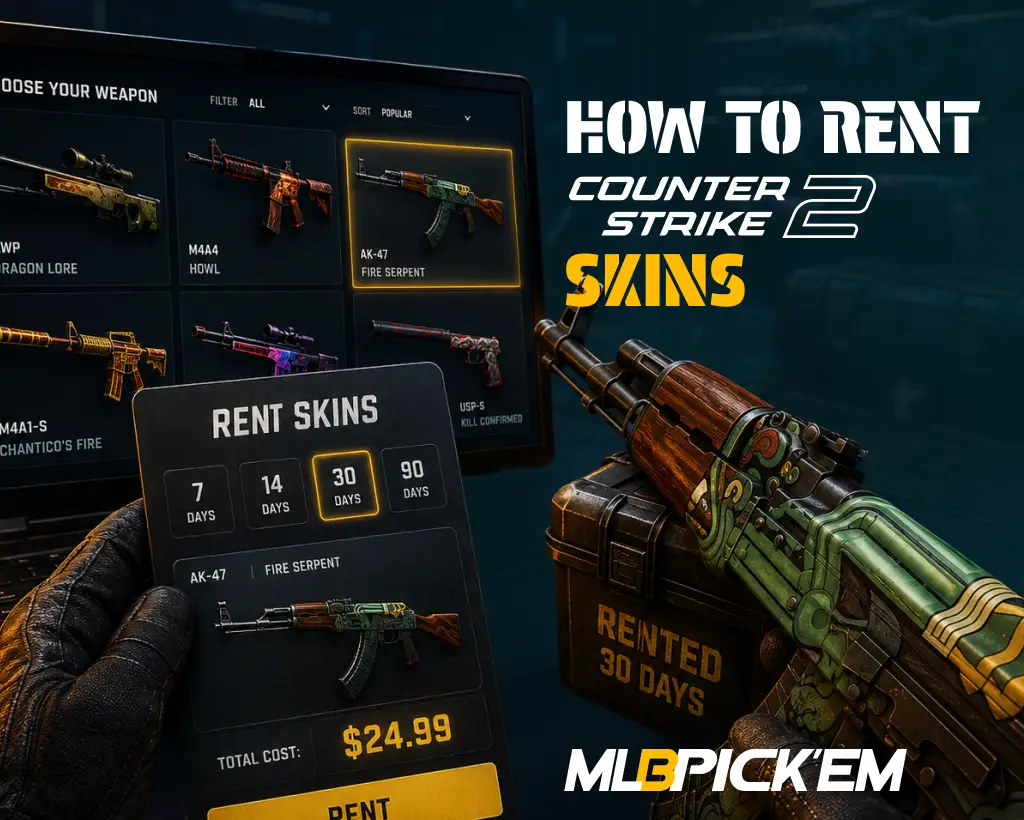
How to Rent CS2 Skins in 2026
Have you ever wanted to try out cool and expensive skins in real competitive matches before purchasing them? This feature is available, and you can use it officially, without third-party platforms. If you are looking for CS2 rentable skins, this article for MelBet Pick’em will explain how this option works and what nuances you should definitely consider before using it!
What Does Rentable Mean in CS2?
Renting skins in CS2 is a temporary alternative to buying cosmetic items outright. A player receives a skin in their inventory for a limited time without paying the full price. After the rental period expires, it simply disappears from the inventory.
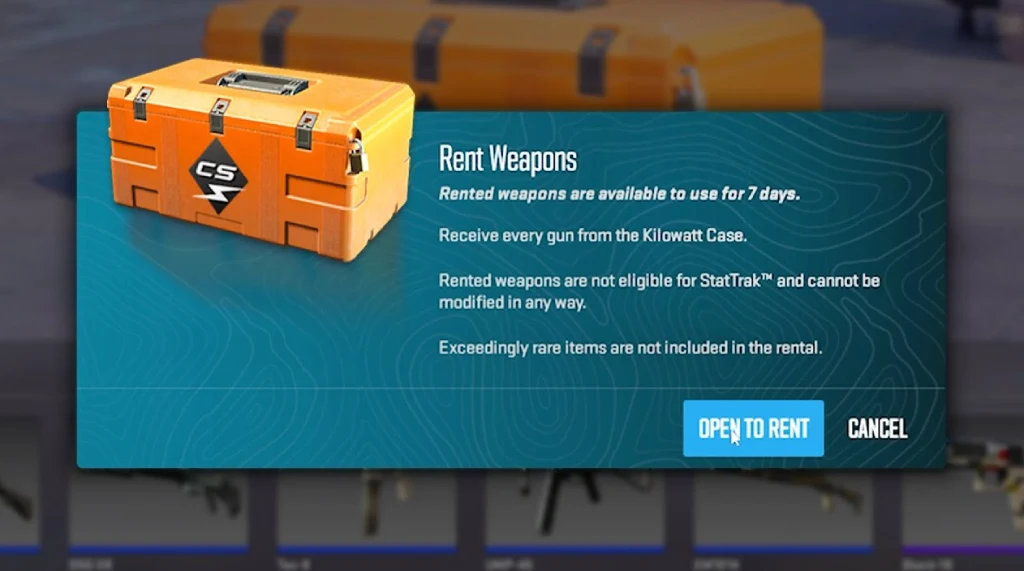
This “Open to Rent” case feature in CS2 was first added in the May 24, 2024, update. Using a case and its key, you can access all eligible weapon cosmetic items inside it for 7 days. For those who want to update their inventory and run around for a while with otherwise unaffordable skins, the option to rent CS2 skins is a good choice.
How to Rent Skins CS2 Through Valve’s System
Official CS2 skin rentals from Valve don’t require linking your account to external platforms or making a deposit. The entire process takes place within CS2 and Steam. If you have sufficient funds in your account, purchasing a key and case takes no more than two minutes.
Step 1 — Get a Rentable Case
To rent skins CS2 from a case, you must have the desired case. The easiest way is to purchase one on the Steam Community Market, but there is also a free option.
If you have a CS2 Prime account, you can receive a weekly drop after your first level-up of the week. This usually includes a case option from the CS2 weekly drop pool. Please note that only cases marked “Rentable” in your inventory are eligible for rental.
Step 2 — Buy or Use a Case Key
CS2 skin rental requires not only a case but also a key. The mechanics are the same as CS2 case opening: after activation and confirmation, the key is consumed. Thus, renting skins is not free, but it equals the cost of the case and key.
Step 3 — Choose “Open to Rent”
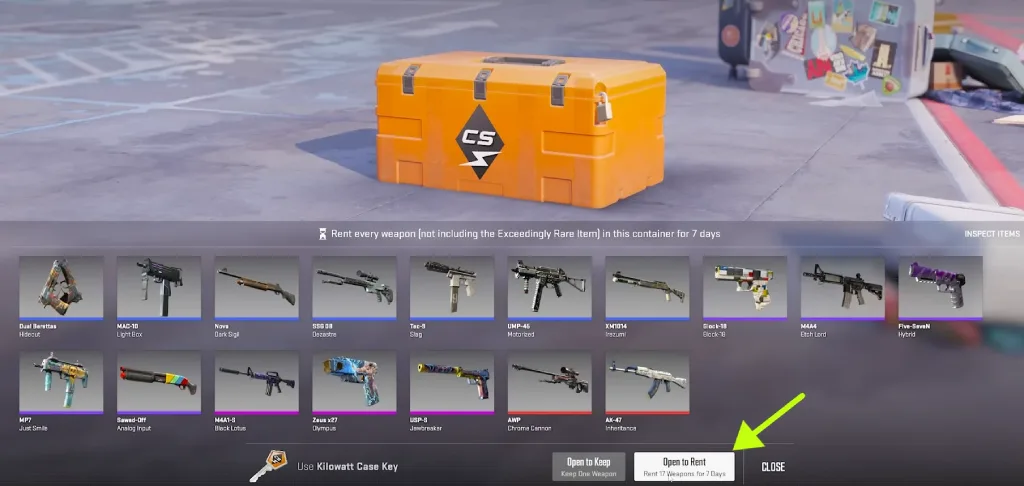
Once you have the case and key, you need to open CS2, go to your inventory, and select the desired case. Selecting it and proceeding to the unlock screen will show the available options:
- Unlock Container
- Open to Rent
Both will use up the key and the case, but the former will give you one random item from the case permanently. Selecting the Open to Rent CS2 option will allow you to obtain all eligible weapon skins from the case for 7 days.
Step 4 — Equip Rented Skins in Your Loadout
After confirmation, the rent CS2 skins option will add the rented items to your inventory. For them to appear in matches, they must be equipped in your loadout, like regular weapon skins.
In matches, they will look the same as purchased items. Other players will not see any indication that the skin is rented.
However, these cosmetic items cannot be:
- Sold
- Traded
- Used in CS2 Trade Up Contracts
- Renamed
- Decorated with stickers
Their main value is to test the weapons’ appearance in a real game. Over the course of seven days, you can play dozens of matches and finally decide whether you want to buy these skins for permanent use or whether they are not as good as they seem.
Another limitation is that you can only rent one case at a time. This means if you want to try skins from two different cases at once, you simply won’t be able to. You’ll have to wait until the end of the 7-day rental period for the first collection to rent the second.
Step 5 — What Happens After 7 Days
The official rental period is 7 days. After the rental period expires, the skins will simply disappear from your inventory, and your equipped weapons will revert to their default state.
The case and key are also not returned after the rental period expires; to use the CS2 rent skins feature again, you must buy another case and key. Please note that the skins’ wear and pattern may vary each time; they are determined randomly, just like when opening a regular case.
Which CS2 Cases Can You Rent?
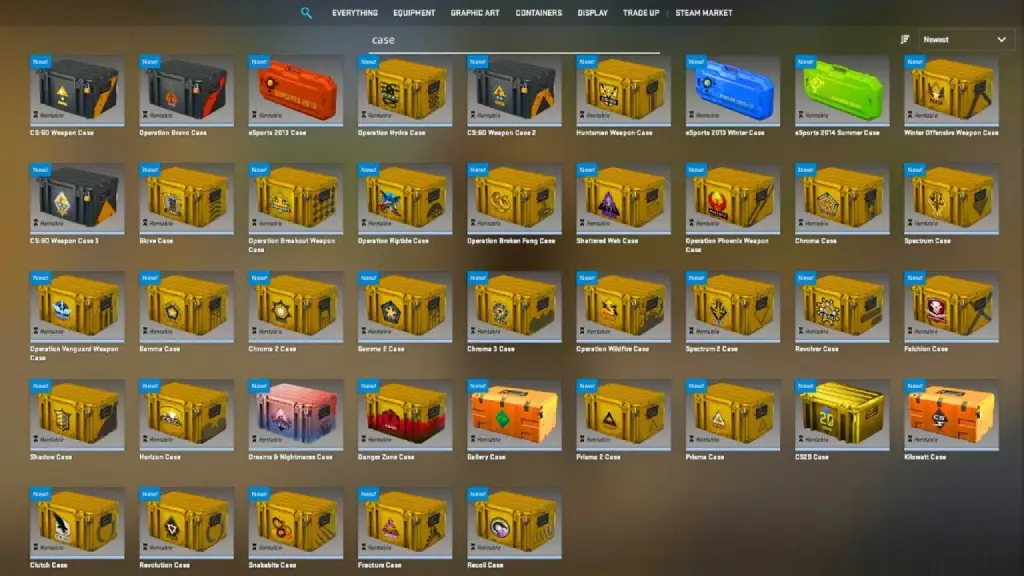
To rent CS2 skins through Valve’s official system, you must have cases marked as Rentable in your inventory. Initially, only the Kilowatt Case, which was added with the update, was officially supported. Later, the Gallery Case was added to the list of new cases supporting this mechanic.
However, with the release of the update on November 28, ahead of the Shanghai Major 2024, rentals became available for older CS:GO weapon cases as well.
This means that as of 2026, the list of CS2 rentable cases includes all regular weapon cases. This excludes souvenir packages, sticker capsules, and other special containers with different opening mechanisms.
What Skins Do You Get When Renting a CS2 Case?
The CS2 rent case feature doesn’t provide full access to the entire pool of possible rewards. Knives and gloves, which theoretically have a 0.26% chance of dropping from cases, are not included in the official rental feature.
Renting also doesn’t provide StatTrak versions of cosmetic items. All rented weapon skins come without a kill counter.
Furthermore, the CS2 float value and pattern of rented skins are determined randomly, using roughly the same logic as when opening a regular case. Therefore, if you want to test out a Factory New item before purchasing, the Open to Rent CS2 option may not always be suitable.
Official CS2 Skin Renting vs Third-Party Skin Rental Sites
Before the ability to rent skins from cases became available, CS2 skin rental sites were popular among many players. They operate on similar principles: you can obtain temporary skins for a certain fee.
However, this is not an official Valve mechanism. The rental mechanics through a CS2 skin rental website are extremely inconvenient; you need to connect a Steam account, use a Trade URL, make a payment, subscribe, or even provide collateral for expensive items.
The security of these rental methods is highly questionable. We strongly advise against using them, but they are often the only way to rent a knife or gloves. Therefore, just in case, we’ve prepared a comparison table of the two rental methods so you can clearly see the differences and choose the unofficial option at your own risk, knowing all the nuances:
| Criterion | Official CS2 Skin Renting | Third-Party Rental Sites |
|---|---|---|
| Where renting happens | Inside CS2 and Steam | On external websites and platforms |
| How the mechanic works | Case + key → 7-day access to the weapon skins inside | Choosing a specific cosmetic item or loadout through a website |
| Rental period | 7 days | Can be 7 days, 30 days, or subscription-based |
| Choosing a specific skin | No, renting is based on the case contents | Yes, specific items are often available |
| Knives and gloves | Not included | Often available if the platform offers them |
| StatTrak versions | Not available | May be available |
| Float/wear/pattern | Determined randomly | Sometimes selectable |
| Payment model | Cost of the case and key | Subscription, deposit, rental fee, or collateral |
| Item return | Skins disappear automatically after 7 days | Usually requires returning the item via Steam trade |
| Safety | Highest, because it is Valve’s system | Depends on the website’s reputation |
| Best for | Safe testing of case weapon finishes | Players who want specific cosmetic items like knives, gloves, or StatTrak |
Best Alternatives to Renting CS2 Skins
Are you completely turned off by the idea of having to permanently spend a case and key for the short-term enjoyment of CS2 rentable skins? We present several logical alternatives. They may not be as appealing as the ability to use cool skins for 7 days, but they offer more control:
- Buying cheap CS2 skins: Multiple cosmetic items for 7 days is good, but even one permanent skin can be better. Cases and keys are expensive these days; a case and key can already cost around $3 or more. For this price, you can consider many budget options that look quite good. And most importantly, these skins are yours forever, and when you get tired of them, you can sell them or trade them for others.
- Trading on Steam or marketplaces: If you have unwanted skins, you can trade them with other players. Go to your Steam friends list, find players with an open inventory and the skin you’re interested in, and offer to trade for equivalent items. You can also simply sell unwanted items and purchase others; the only downside is the commission when selling.
- Trying skins through community servers or inspection tools: For a basic inspection, it’s enough to use community servers and CS2 inspect links. This helps you evaluate the skin’s appearance without spending money. If your goal is to evaluate it before buying, this is a very good alternative.
- Opening cases vs. renting cases: Simply opening a case gives you a chance to receive one permanent item. According to the CS2 skin rarity guide, the chances of getting something very expensive are slim, but at least it will be yours. You can sell it even after a year, use it in a trade-up, or apply a CS2 name tag to it.
Pros and Cons of Renting CS2 Skins
The official rent skin CS2 function is a compromise between the desire to play with expensive items and the reluctance to buy them. It’s undoubtedly useful, as you can test skins in real matches without having to log into a CS2 skin inspection server and copy an inspect link.
However, renting can’t be used as a substitute for purchasing. It has drawbacks that make it completely uninteresting for some players.
-
Safe Valve system
-
Lower entry cost than buying skins
-
Good way to test cosmetic items before buying
-
Access to multiple weapon skins at once
-
No market risk
-
Simple and transparent mechanics
-
No permanent ownership
-
Case and key are consumed
-
No knives or gloves
-
No StatTrak versions
-
Random wear and pattern
-
Only one active case rental at a time
FAQ
To rent, you need the case itself and its key. After proceeding to the opening screen, the game will offer the option to open it normally or rent it. However, the case and key are consumed in either case.
The CS2 rent knife option is officially unavailable; such items are not included in case rentals, even though they can drop during normal opening. There is no official mechanism for renting knives and gloves; you can only use third-party websites, which is much riskier than official rentals.
Rentable in CS2 means that a specific case supports the official rental function. This mark is found on all regular weapon cases. However, souvenir packages, sticker capsules, and other similar containers are not available for rent.
Skin rentals are valid for 7 days; extensions are not available. Once the rental period expires, they simply disappear from your inventory. The weapon they were equipped with will revert to its default appearance.
The official rental price for CS2 skins is equal to the cost of the case and key. Therefore, it all depends on how much you pay for the case. Theoretically, you can get it for free through a Weekly Drop, but you’ll still have to pay around $2.50 for the key.
Read also: